
 VideoProc Converter AI
 VideoProc Converter
 Vivid
Vivid Vector Magic
 ViWizard Spotify Music Converter
 VMware Fusion Pro
 WALTR PRO
 Typinator

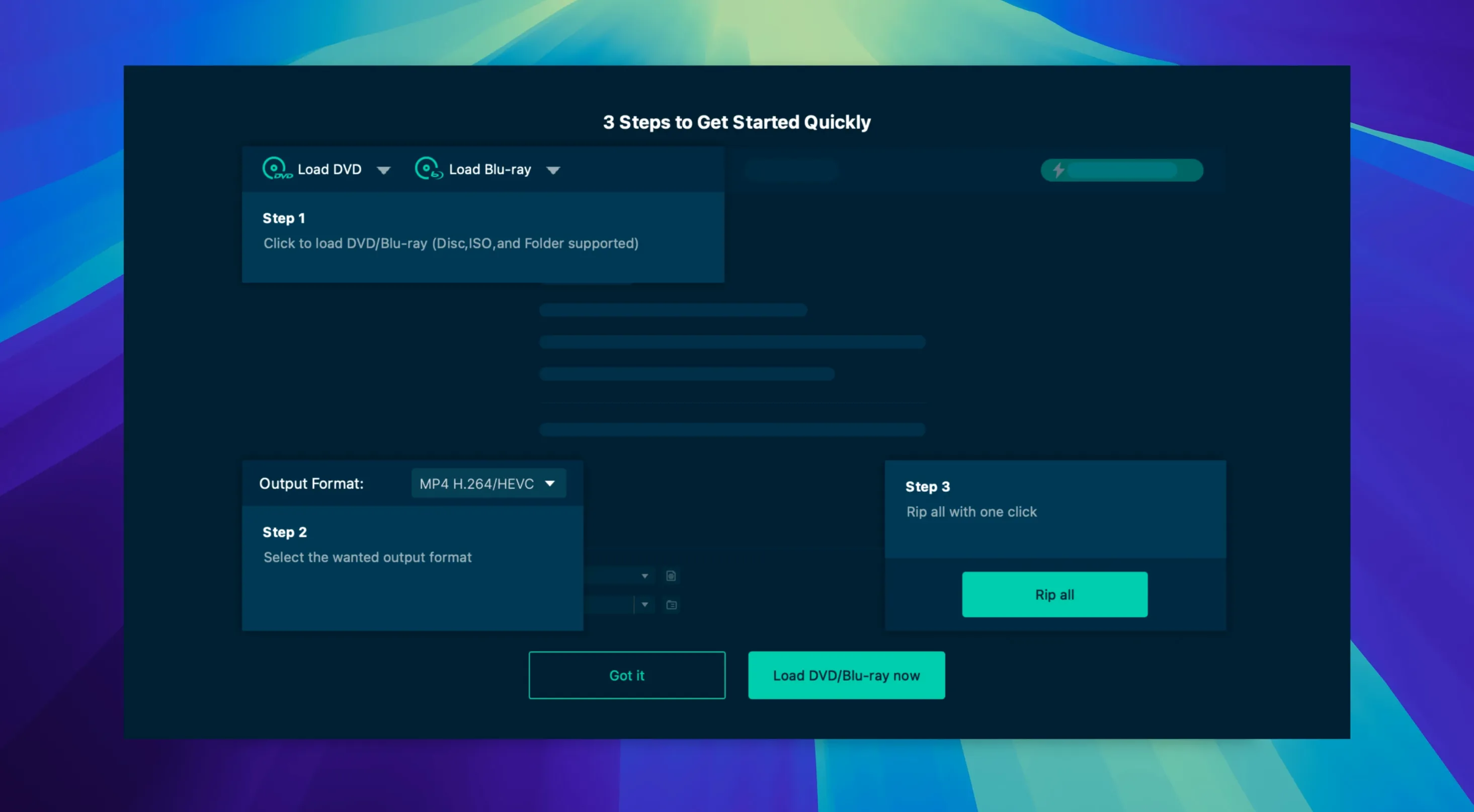
You pull a disc off the shelf, slide it into the drive, and your Mac just stares back. No video file, no playback, no way to drop that movie onto your tablet for tomorrow's flight. A disc is a physical object your modern devices can't read, and that gap is exactly where a ripper earns its keep.
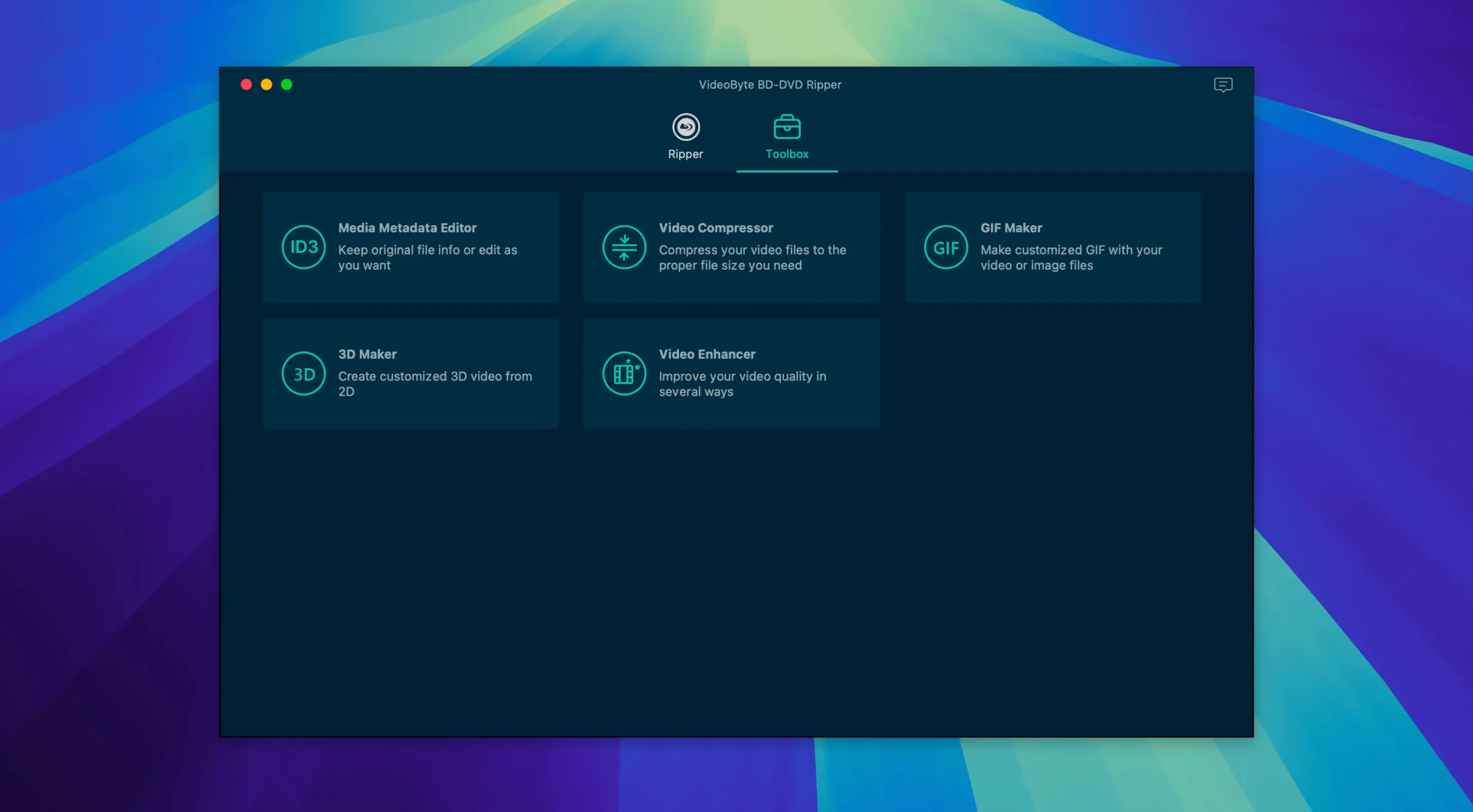
VideoByte BD-DVD Ripper turns those shiny platters into playable files. Feed it a Blu-ray or DVD and it hands back an MP4, MKV, MOV, or a straight audio track like MP3 or AAC. With more than 300 output formats on deck, you can shape the result for a Samsung TV, an old iPod, or anything in between. The preset profiles for Apple, Samsung and Sony devices cut out the guesswork — pick a name, not a codec.
Commercial discs fight back with CSS, AACS, BD+, Cinavia and a handful of other protections. This app strips them away during the rip, so that store-bought disc acts like a plain data source. No extra tools, no late-night forum hunts.
It runs on Intel Macs and is listed for OS X 10.10 and later. If you still keep a disc library and want it freed into files, this is the sort of utility that bridges the gap between a shelf of plastic and a screen full of thumbnails.
Out of the box the app does a clean job, but three defaults are worth flipping before you rip anything serious.
Hardware acceleration. Open Preferences and make sure the Enable Hardware Acceleration box is ticked. With an Intel Mac and a supported NVIDIA, Intel or AMD chipset, it can halve the encode time for h.264 MP4s. The difference is less dramatic on DVDs, but on a full Blu-ray it's the gap between a coffee break and a lunch break.
Audio passthrough. By default the app re-encodes the main audio track to AAC. If you've got a surround setup or good headphones, switch the audio setting to Copy for the language track you want — you'll keep the original DTS or Dolby mix instead of a flattened stereo version.
Subtitle handling. Subtitles sit on the disc in two forms: image-based (PGS on Blu-ray, VOBSUB on DVD) and text-based. The app can burn them into the picture or leave them as a soft track you toggle on and off. If you plan to watch on a tablet, burning them in avoids surprise incompatibility later.
A couple of recurring hiccups show up in forum threads, and they're usually simple to fix.
Picture someone with a shelf of imported Blu-rays — Japanese animation, region-locked European releases, a few out-of-print documentaries. Their Panasonic player died last month and they're not replacing it. Instead they want everything on a Plex server, playable on an Apple TV.
They load a region-B disc of a French silent film. The app strips the region lock without a prompt, and they select the MKV container so they can keep the original LPCM mono track and two subtitle streams — English and French — as soft tracks. They set the video to h.264 at 18 Mbps with hardware acceleration on. The rip takes about 25 minutes on a 2019 iMac.
They repeat this over the weekend, working through a stack of discs, letting the queue feature run overnight. By Sunday evening the Plex library has two dozen new entries, all with correct artwork pulled from the file names, all playing direct without transcoding. The discs go into sleeves in a cupboard, the shelf space becomes something else, and the collection is finally watchable without a dedicated player.
Yes, the developer lists support for both Intel and Apple Silicon processors on Mac.














Chat 0
Hop in or make an account to join the chat.
Quiet in here so far. If you have used this build, tell me what the install actually did.