
 Vivid
Vivid VMware Fusion Pro
 VideoProc Converter
 VideoProc Converter AI
 VideoByte BD-DVD Ripper
 WALTR PRO
 Vector Magic
 WidgetWall


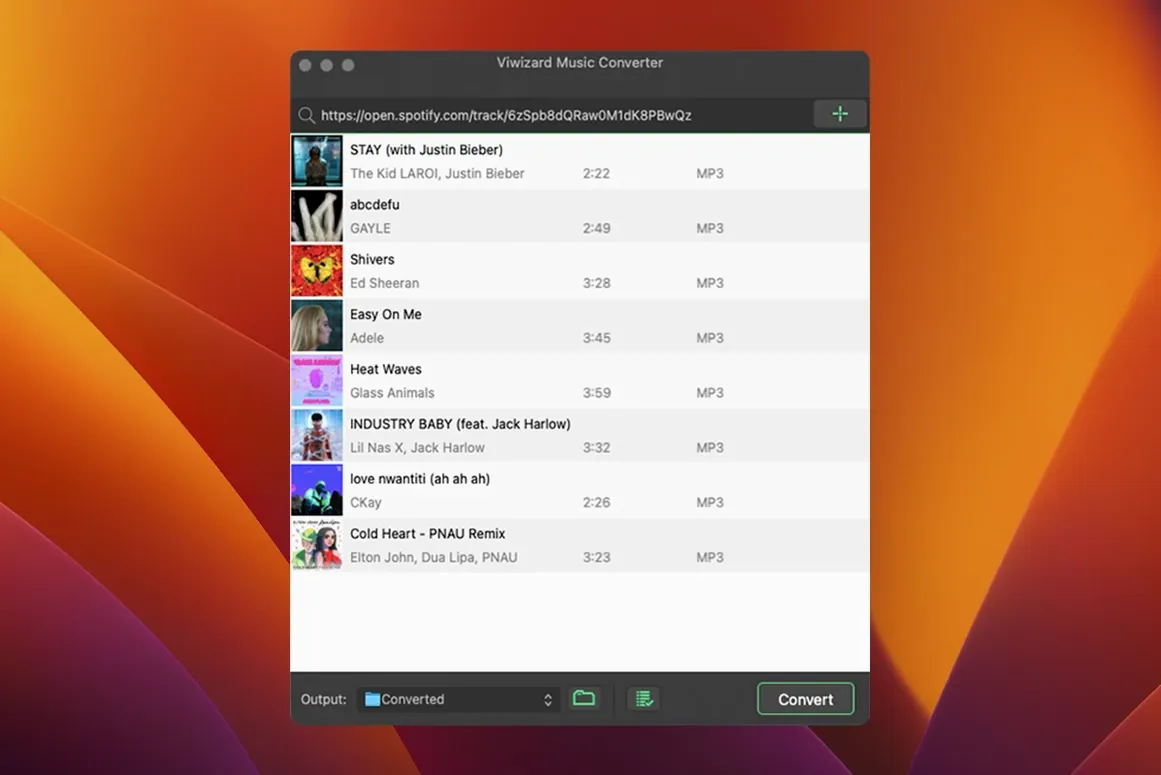
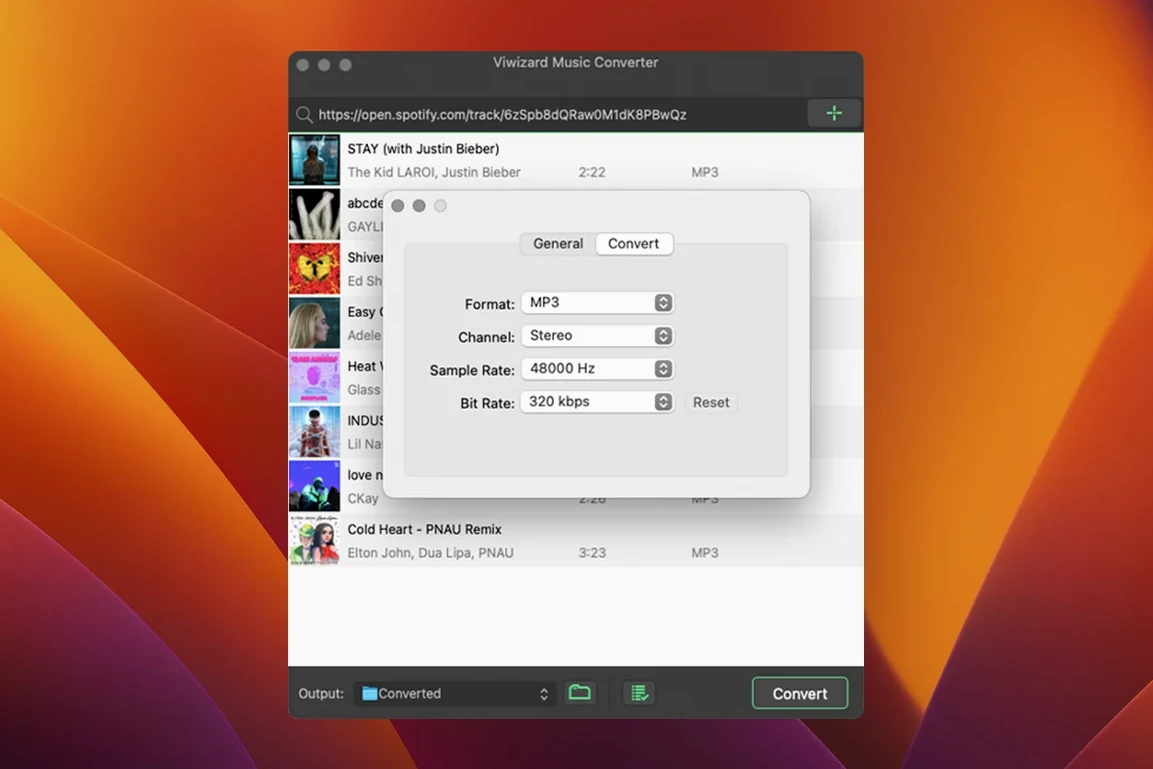
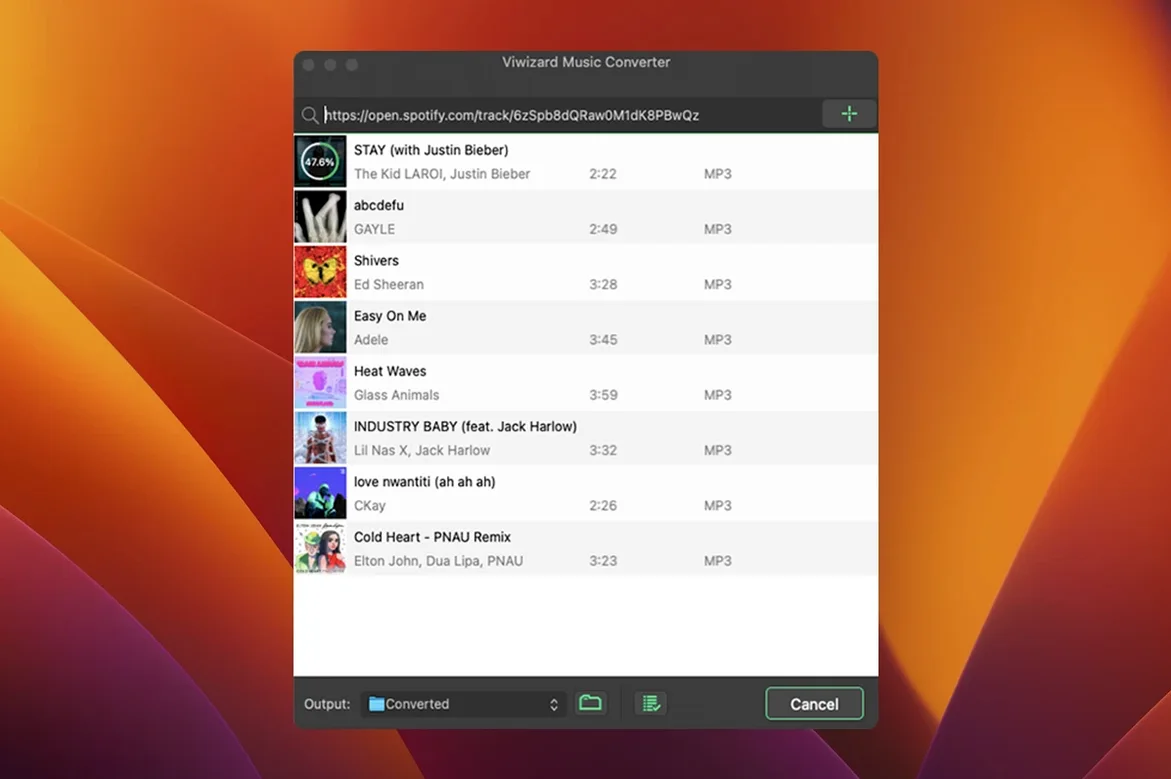
Six audio formats sit behind every track you pull from Spotify with ViWizard Spotify Music Converter. It grabs songs, playlists, albums, podcasts and audiobooks through the built-in Spotify Web Player, then hands you a plain audio file you can use wherever you like.
It’s a straightforward companion to Finder, a media player or a DJ library. Grab the playlist, pick a format and let it run. The exported files land on your drive with the metadata intact — ready to drop into Music, Traktor or a folder you sync to your phone.
ViWizard doesn't replace your Spotify app — it borrows the web player to do its work. That matters when you think about how it fits with the rest of your Mac.
Once a batch finishes, the files are just audio. Drop them into Apple Music (or the old iTunes on older systems) and they show up under Recently Added with artwork and artist info already filled in. The same goes for Serato, Traktor or Rekordbox — the metadata ViWizard preserves is what those apps read to sort your library.
On the macOS side, Spotlight indexes the converted files automatically. Search by song title in Finder and it appears, no extra tagging needed. If you use Automator or Folder Actions, you can point a watched folder at ViWizard's output and have new conversions copied to a backup drive or USB stick without touching anything.
One quiet benefit: because the app works through the Spotify Web Player, it coexists peacefully with the desktop Spotify client. You can listen to one playlist while converting another. No conflicts, no sign-outs.
Three other Mac converters tend to show up alongside ViWizard. They all solve the same problem, but the feel is different.
NoteBurner Spotify Music Converter is the closest sibling. It also uses the web player, supports the same output formats, and keeps metadata tidy. The difference is mostly in the interface — NoteBurner feels a little more tutorial-driven on first launch. ViWizard strips that back. You open it, you see your playlists, you click convert. If you prefer fewer prompts, ViWizard wins on directness.
Sidify Music Converter adds a couple of extra output options and a built-in tag editor, which sounds useful but can slow things down if you just want a clean batch run. ViWizard skips the editor and leans on the metadata it captures from Spotify — less control, fewer clicks. On an older Intel Mac, Sidify can feel heavier. ViWizard's lighter footprint suits machines still running OS X 10.10.
TunePat Spotify Converter offers a web-player approach too, but its output format list is shorter — FLAC and WAV are missing in some builds. If you want a lossless archive of a playlist for a hi-fi setup, ViWizard gives you that path without compromise.
A few things trip people up. Here's what tends to happen and how to get past it.
App won't open after install. The Gatekeeper bypass step catches people off guard. After mounting the disk image, you need to run the included Terminal command — just pressing Enter when prompted does the job. Skip it, and macOS blocks the launch with no clear explanation.
Web player shows a blank screen. ViWizard relies on Spotify's web player loading correctly. If it stalls, sign out of the Spotify website in Safari or your default browser, then restart ViWizard. The internal player needs a clean session to grab your library data.
Metadata missing on a few tracks. This happens most often with very recent podcast episodes or regional audiobook releases. The web player sometimes serves incomplete tags. A quick workaround: play the track once in the regular Spotify desktop app, then retry the conversion in ViWizard. It nudges the metadata cache to refresh.
FLAC files won't play in Apple Music. Apple's app doesn't read FLAC. That's not a ViWizard bug — it's a format mismatch. If you want lossless playback inside the Apple ecosystem, convert to ALAC (M4A in ViWizard's settings) or use a player like Vox or IINA for FLAC files.
Conversion speed drops mid-batch. On older Intel Macs, a long queue can slow down as the machine heats up. Splitting a large playlist into smaller batches of 20–30 tracks keeps things snappy.
It can convert Spotify audio to MP3, AAC, FLAC, WAV, M4A and M4B files.
No, it uses the Spotify Web Player built into the application, so you don't need the separate Spotify app.
Yes, it preserves metadata including cover art, artist names, album titles and track numbers during conversion.














Chat 0
Hop in or make an account to join the chat.
Quiet in here so far. If you have used this build, tell me what the install actually did.