
 EndNote
 GoodNotes
 GraphPad Prism
 iA Writer
 iBarcoder
 Keep It
 Complete Anatomy
 LookAway


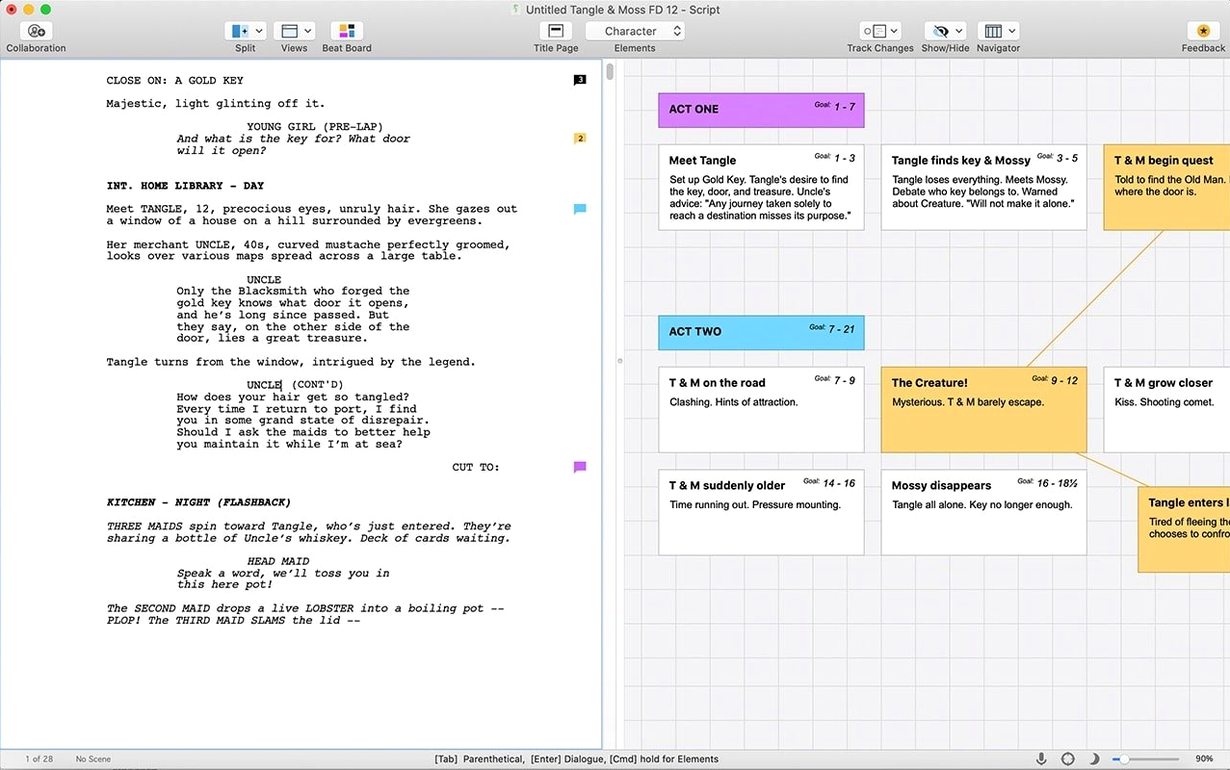
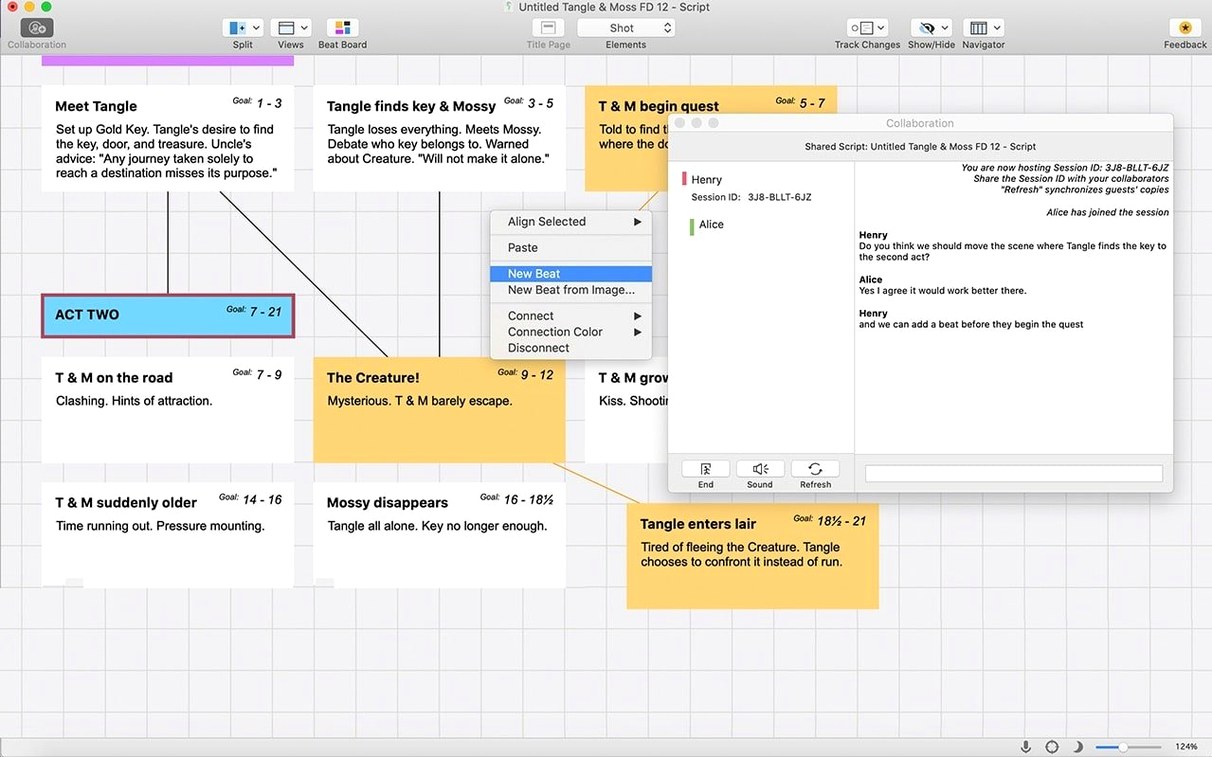
Open the beat board straight away. It is a drag-and-drop planning canvas that lives inside the app, so your outline never gets lost in a separate document.
Drop colour-coded cards for scenes and drag them around until the structure clicks. You can tag threads like a character arc and filter the board to see only that thread.
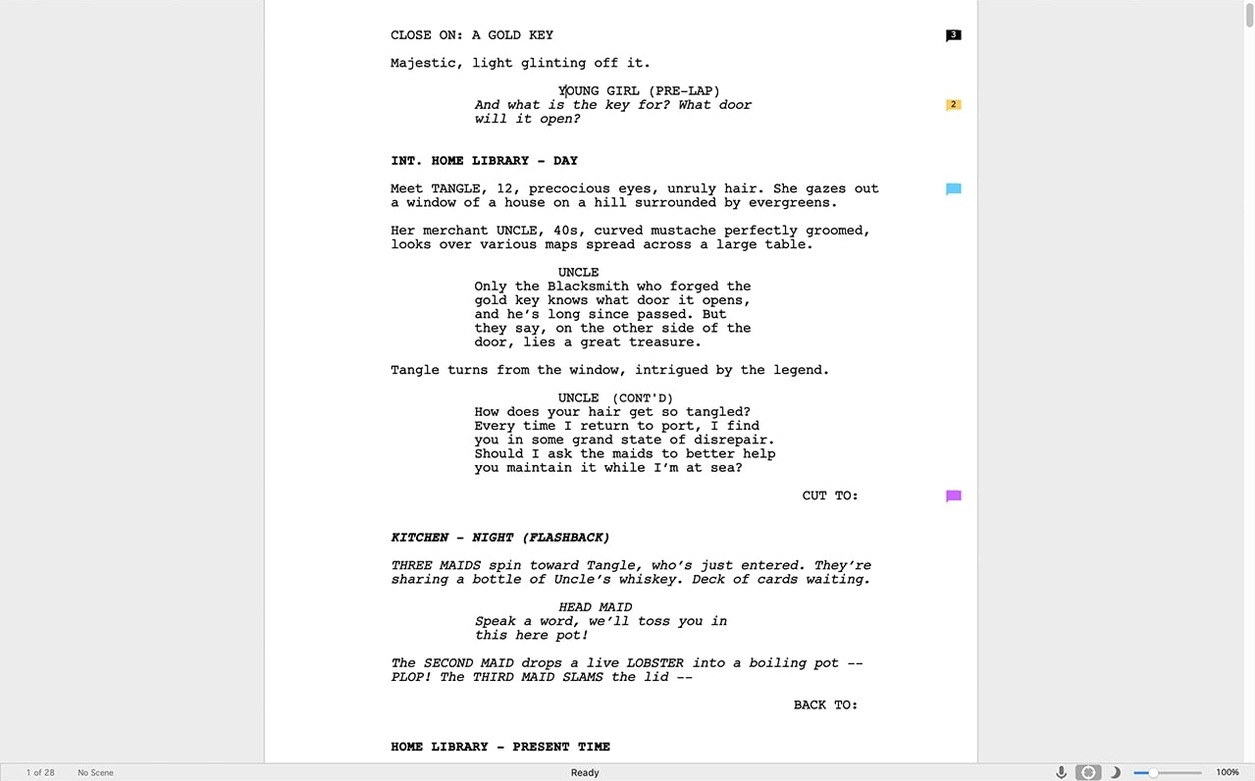
Switch to script view and type INT. COFFEE SHOP - DAY. The page formats itself as you press Enter — tabbing from action to character name to dialogue without touching the mouse.
Start typing a character name and the SmartType list pops up. Hit Enter to place it, and the script stays locked to industry layout while you stay in the flow.
Beginners often treat Final Draft like a word processor and start pressing Tab and spacebar to centre dialogue. That fights the auto-formatting engine. The app reads your keystrokes — just type the text and press Enter. The element menu in the bottom-left toolbar shows the current slug, action, or character cue, so you always see what mode you are in.
Another early slip: ignoring the backup folder. Final Draft saves a .fdx file as you work, but the auto-save snapshot lives in a subfolder inside ~/Documents/Final Draft/Backup. Writers who close the MacBook without a manual save sometimes assume a scene is gone. It is not — the backup folder keeps a dated copy with most of the morning's work intact.
Scene numbering too soon is also common. Locking page numbers and scene IDs before a draft is structurally sound means renumbering later becomes a chore. Keep numbering off until the production draft stage, or you will spend a Tuesday afternoon chasing orphaned scene references across 90 pages.
Snag: SmartType won't suggest a character you used three pages ago. The internal cache occasionally drops names when you import a script from another app. Fix: open Document > SmartType > Rebuild Character List. It scans every line and repopulates the list in under ten seconds.
Snag: the beat board feels sluggish with a 40-scene feature. Fix: split the board into acts using the filter dropdown. Displaying Act One on its own cuts the card count the GPU has to redraw, and pinch-to-zoom snaps back to usable speed.
Snag: dialogue paginates oddly after pasting from a PDF. Hidden line breaks are the culprit. Switch to View > Show Invisibles and you will spot stray paragraph returns immediately. Delete them and the page reflows to standard format.
Snag: the app asks for an internet sign-in after weeks of offline use. That is the licence check cycling. Connect briefly, let it verify, and you are back in the script without losing a keystroke.
The most useful pairing is with Scrivener. Final Draft 13 reads Scrivener's binder structure, so you can research and outline in Scrivener's corkboard, then export a clean script that respects your folder hierarchy. The round-trip is not live — you re-import when the draft changes — but for writers who think in index cards first, it bridges two workflows without manual reformatting.
On the Mac itself, Focus Mode in macOS ties in neatly. Enable it from Control Centre and Final Draft dims everything except the script page. Combine that with the app's own full-screen view (Ctrl+Cmd+F) and you get a black-background writing space with no toolbars, no dock, no notifications.
Dictation works out of the box. Press the Fn key twice to start macOS dictation and speak a line of dialogue. Final Draft treats the incoming text the same as typed input — tab to character cue, say the name, press Enter, speak the line. It is not perfect with unusual character names, but for brainstorming dialogue while pacing the room it is surprisingly fluid.
Export options slot into production pipelines without friction. PDF with revision marks drops straight into a shared iCloud folder for notes. The plain text export feeds into Highland 2 or Slugline if a collaborator prefers Fountain syntax. And the .fdx format itself is readable by nearly every other screenwriting app on the Mac, so passing a draft to a script editor using Fade In or WriterSolo requires zero conversion.
For writers who grabbed a final draft torrent or searched for a final draft crack in the past, the legit build's integration with macOS services — Handoff to an iPad, Spotlight indexing of scene headings, Time Machine-friendly file structure — becomes the quiet reason to appreciate a clean install. Those system hooks work beautifully when you set up the app with full disk access and iCloud sync enabled.
On an Intel Mac running Monterey, launch time is about four seconds cold, under two seconds warm. A 120-page feature script scrolls without visible stutter, even in page view with both facing pages visible. Zooming the beat board on a 2019 MacBook Pro stays fluid with up to roughly 60 cards; beyond that, the filter trick mentioned earlier keeps things snappy.
Memory use settles around 180–220 MB for a single script, climbing to 300 MB with three documents open. That is light enough that leaving it running alongside Safari, Mail and a reference video player never triggers swap pressure on machines with 8 GB of RAM. CPU spikes are rare — the app idles near zero when you are reading, and the auto-save write is fast enough that you never notice the disk activity.
Stability is strong on version 13.4.0. Crashes in a month of daily use tend to trace back to one repeatable trigger: pasting heavily formatted text from a web browser into a script page. The pasteboard interpreter occasionally chokes on embedded web fonts. The workaround is to paste into TextEdit first, copy again as plain text, then drop it into Final Draft. It adds three seconds and avoids the only crash pattern worth mentioning.
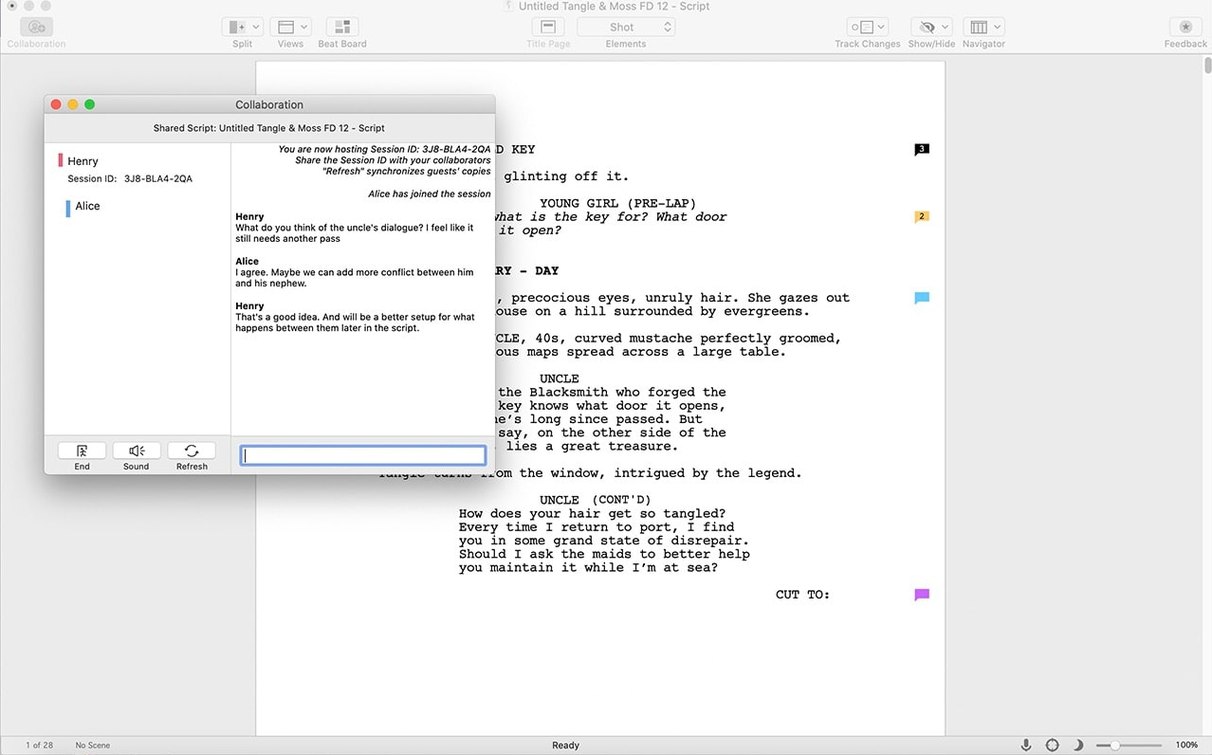
Collaboration via the Collaboration Panel adds a modest network overhead — syncing a 20-page act over Wi-Fi takes about four seconds — and the co-writer's cursor appears with a colour tag within a beat. The feature is designed for two to three writers on the same script, and it handles that load without the latency spikes that plagued earlier versions. Just keep the script on a local drive; network-mounted volumes add a half-second hesitation to every auto-save cycle, which becomes annoying by page 30.
Good to know: the free iOS companion app Final Draft Go lets you read your pages and tweak dialogue on a phone.
Yes. The current version uses x86 64-bit architecture and runs on any Mac with macOS 12 Monterey or later, including Apple Silicon machines via Rosetta 2.
Absolutely. The app includes templates for stage plays, television episodes, and feature film scripts, all formatted to industry standards automatically.
Yes. Final Draft Go is a companion app for iOS that lets you read, edit dialogue, and make small changes to your script on the go.












Chat 0
Hop in or make an account to join the chat.
Quiet in here so far. If you have used this build, tell me what the install actually did.