
 Final Draft
 GoodNotes
 GraphPad Prism
 Complete Anatomy
 iA Writer
 iBarcoder
 Keep It
 Bear
Bear


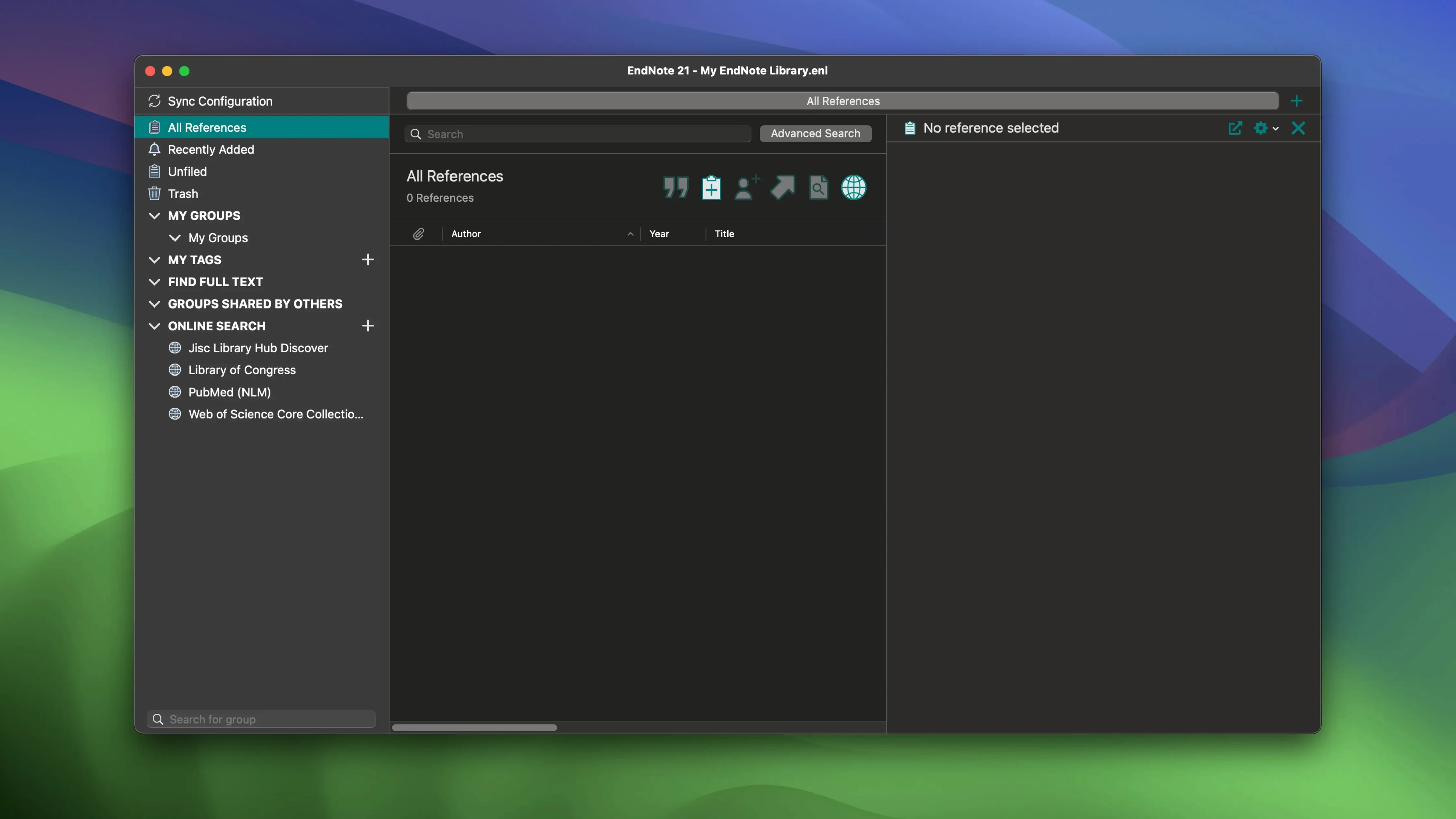
You’re three chapters into a dissertation and your citations folder is a mess of half-remembered PDFs. EndNote gathers those scattered references into a single library, pulling in the full bibliographic data for each book, journal article, or conference paper you add. A colour-coded tagging system lets you group sources by theme or priority, so a quick scan tells you what’s been reviewed and what still needs a close read.
The real time-saver kicks in when you write. With Microsoft Word and Google Docs integration, dropping a citation into your text is a matter of a few keystrokes. EndNote formats the in-text reference and builds the final bibliography in the style your publisher or department demands, all from the references you’ve already saved. No retyping author names or wrestling with indentation.
Your library stays in sync across devices, carrying over not just the references but your PDFs, sticky notes, and highlights. Mark up a paper on one machine and find those annotations waiting on another. It’s the kind of quiet continuity that keeps a long project moving without extra admin.
Stacked against Zotero, the difference shows up fast in collaborative settings. Zotero’s browser connector is snappier for grabbing web pages on the fly, and it handles group libraries with a lighter touch. EndNote goes deeper on the formatting side, though. When a journal wants a niche citation style with fussy rules about publisher abbreviations, you’re less likely to need a manual workaround here. Zotero’s free and open-source model appeals to smaller labs, but its PDF annotation sync can lag oddly across devices — something you rarely notice with EndNote’s own cloud sync.
Next to Mendeley, the split is more about habit. Mendeley leans into social discovery and a feed of paper recommendations, which can feel like noise if you just want a quiet references desk. EndNote keeps the focus tighter — tagging, grouping, writing. Mendeley’s PDF reader is cleaner out of the box, yet restoring a single reference to an earlier state is easier in EndNote, where version history sits right on the reference record itself.
Version 2025.3 arrived as a maintenance release, but one fix stands out for anyone writing in Word on a tight deadline. A known crash when the Select Matching References dialog popped open — say, when you typed an ambiguous author surname — is now resolved. It was the kind of glitch that could cost you ten minutes of unsaved prose. That fix alone makes the update worth grabbing.
Less flashy but genuinely useful: Simplified Chinese localization joined the interface. For teams working across English and Chinese-language journals, switching the UI to match a co-author’s language can cut down misclicks during a shared editing session. The bug fixes bundled in cover a scatter of smaller papercuts that didn’t make release notes, but the overall feel in Word is snappier with fewer beachballs when toggling between reference styles.
Right-click a reference and choose Restore Previous Version. Few people dig into that menu, but when you accidentally overwrite a carefully annotated entry, it rolls back just that single reference — no full library restore needed.
Color tags aren’t just decorative. Hold Option while dragging a tag onto a batch of selected references to apply it across all of them in one go. It’s a quiet shortcut that turns a tagging slog into a two-second tidy-up.
PDFs and annotations sync across machines, but the trick is in the setup: tick Sync Attachments in preferences once, and any highlight you draw on a MacBook will light up on your iMac without a second thought. Forgetting that checkbox is the silent reason notes sometimes vanish between sessions.
When a Word citation inserts oddly — wrong author order, spurious comma — try Edit & Manage Citation(s) from the EndNote toolbar instead of retyping the reference. You can suppress the author name or add a prefix directly from that little panel, and the bibliography updates without breaking the link to your library.
Yes, version 2025.3 includes Simplified Chinese localisation alongside the existing English interface.













Chat 0
Hop in or make an account to join the chat.
Quiet in here so far. If you have used this build, tell me what the install actually did.