
 iZotope Neutron

Download iZotope Nectar for macOS
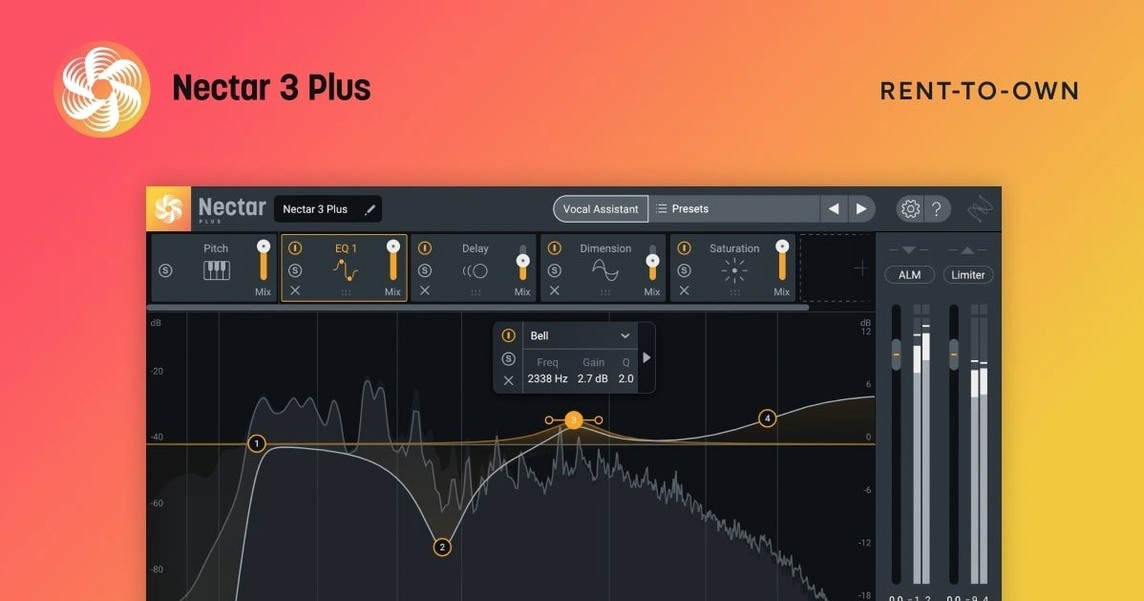
Nectar runs on Apple Silicon and Intel Macs, requires macOS Ventura 13.7.4 or newer, and is built 64-bit only. It covers the full vocal chain — tone shaping, compression, echo, width and more — inside a single plugin window.
Lead polish, auto-leveling, and layered harmonies
- Mixing lead and backing vocals on a channel insert
- Evening out loudness with Auto-Level on a vocal bus
- Adding harmonies and background layers with the Voices and Backer modules
- Cleaning up breath noise and mouth clicks before they hit the reverb send
- Sound design on vocal samples — widening, pitching, thickening
Backer locked to higher editions, 64-bit only
- Backer is only in the Standard and Advanced editions
- No 32-bit host support — it's 64-bit only
- Minimum macOS bumped to Ventura 13.7.4 as of version 4.1.0
Mixing a verse from scratch
Here's a walkthrough for a lead vocal that arrived dry and uneven — common with home recordings. Drop Nectar onto the insert. First stop: Vocal Assistant. Let it listen to a few bars. It analyses level, tone and sibilance, then dials in a starting chain you can tweak.
Next, enable Auto-Level (Advanced only). It rides gain before any processing, so the compressor isn't fighting wild peaks. Set it to catch syllables that jump out, not gentle wobble. After that, open the EQ module and notch out a boxy corner around 400 Hz that the room left behind.
Compression comes third — light ratio, medium attack, enough reduction to glue the phrase ends. Then add a touch of plate from the delay and reverb module. Not a wash, just a soft tail. Last step: widen the chorus section with the Dimension module, pushing the stereo image outward while keeping the centre solid. Bypass everything once to hear the gap. The difference is a vocal that sits without constant fader nudging.
Assistant over-tames highs with safe EQ cuts
Vocal Assistant makes the vocal dull. The assistant leans safe. It often pulls high frequencies back to tame harshness, but can overdo it. After it runs, lift the high shelf on the EQ by 1–2 dB and check if air returns without bite. The Saturation module can also restore presence without sharpening sibilance.
Auto-Level pumps on held notes. If a sustained vowel dips in and out, the release time is too short. Lengthen it until the tail breathes naturally. Also watch for the threshold chasing room noise — raise it until only the voice triggers gain changes.
Backer module sounds phasey in mono. The doubled layers can collapse when summed. Audition the patch in mono while adjusting the detune and delay offsets. Smaller offsets usually hold up better. If the track must survive club systems, check early.
Latency spikes during tracking. Nectar's lookahead modules (like Auto-Level and the limiter) add latency. It's built for mixing, not live monitoring. Print a rough safety track with no plugins if you need to punch in later.
Where Nectar fits in a Mac studio
Inside your DAW, Nectar works as a channel strip replacement. It slots in where you'd normally stack three or four separate plugins — EQ, compressor, de-esser, doubler. Fewer inserts mean less window juggling and a cleaner mixer view.
It pairs well with iZotope's own Neutron or Ozone on the master bus, but it's not picky. Feed the output into a Valhalla or stock reverb on an aux send, and Nectar's processed signal hits the verb evenly. For vocal editing, use macOS Quick Look to audition raw takes from Finder, then pull the keeper into your session and drop Nectar on it straight away.
The plugin also respects Apple's Audio Unit standard, so it loads in Logic Pro, GarageBand, Ableton Live and any AU-compatible host. Keyboard shortcuts for bypass and preset cycling map to Logic's control surface integration without extra setup. If you use the Voices module for harmonies, route each generated voice to a separate bus in your DAW and pan them outward — Nectar handles the generation, your mixer handles the placement.
Solo producers get a fast, second-guess-free start
Solo producers who mix their own vocals. You don't have a second pair of ears. Vocal Assistant gives you a credible starting point in seconds, which cuts down on second-guessing. The all-in-one layout means you're not auditioning six different compressor plugins just to find one that gels.
Podcasters and voiceover artists. Breaths, mouth clicks and uneven level are the daily grind. Auto-Level and the Breath Control module handle both in one pass. Add a gentle EQ curve and you're done — no complex routing needed.
Beatmakers who record vocal hooks. The Voices and Backer modules turn a single take into a layered hook without forcing you to comp three separate performances. It's fast, and the results sit behind the lead without crowding the midrange.
Mixing engineers moving fast. If you're handling a multi-track session with limited time, having compression, EQ, de-essing and effects in one window speeds decisions. You hear the interaction between modules immediately instead of toggling between plugin windows.
- Windows HiDPI support added
- Fixed an iLok authorization failure affecting Nectar Standard
- Updated supported DAW and NLE versions
- Minimum macOS version changed to Ventura 13.7.4
- macOS Ventura 13.7.4 or later
- Apple Silicon or Intel Mac
- 64-bit host
Questions I get
It runs on both Apple Silicon and Intel Macs, 64-bit only, and needs macOS Ventura 13.7.4 or later.
Backer generates background vocal layers from a single lead track and is included in Nectar 4 Standard and Advanced.







Chat 0
Hop in or make an account to join the chat.
Quiet in here so far. If you have used this build, tell me what the install actually did.