

Download Melodyne for macOS
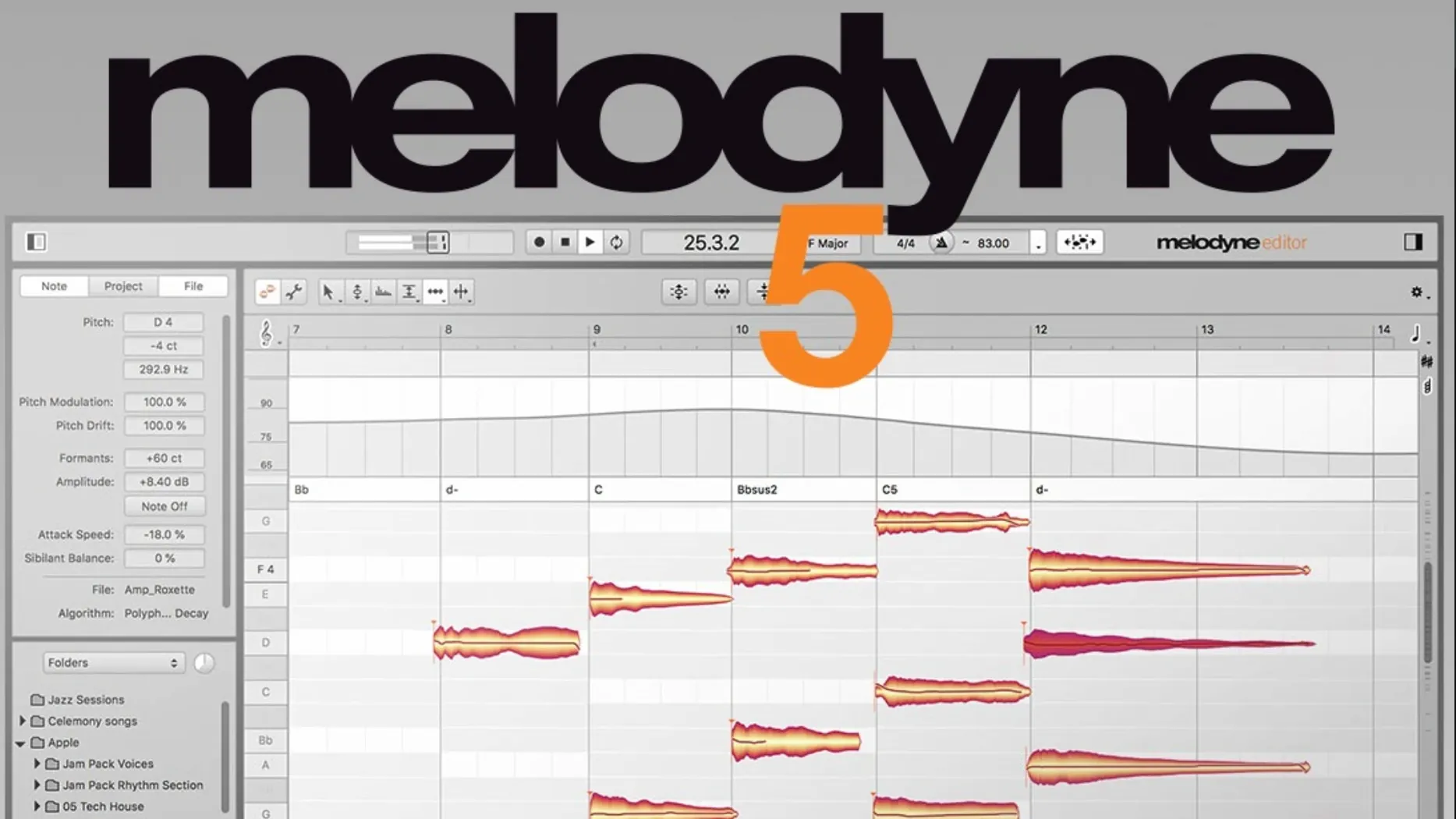
Producers, mix engineers and vocal editors reach for Melodyne when a take needs more than a quick tune-up. It treats audio as individual notes, letting you shift pitch, tighten timing, reshape vibrato and even adjust the volume of a single syllable — all without mangling the original performance.
The current build runs as a Universal Binary, so it opens natively on Intel Macs and Apple Silicon machines. If you're on macOS 10.12 or later, you're covered. The 5.4.2 update smoothed out trackpad scrolling and fixed a crash that could hit during ARA or plug-in use, which keeps sessions moving.
Inside your DAW, Melodyne pulls apart vocal material into pitch, breath, noise and intonation. Beyond tuning a vocal to the track's key, you can manually drag notes to change melody, lengthen a held word or tame sibilance. Editions scale from essential tweaks up to the full DNA-like editing in Studio, so the feature set depends on the tier you choose.
Whether you're rescuing a flat chorus line or re-pitching a sample to sit in a new beat, it turns audio into something that feels almost like MIDI — with all the nuance still intact.
Vocal tuning from start to finish
Here's a real workflow for tightening a lead vocal that drifts flat on a few held notes.
First, bounce or commit the raw vocal track inside your DAW — Melodyne reads the audio file, not a live input. Insert Melodyne as a plug-in on the vocal channel, hit Transfer, and play the section you want to analyse. In ARA mode, the audio appears instantly without real-time playback, which saves a step.
Once the blobs fill the editor, switch to the Pitch tool. The display shows each note's centre and any drift above or below. For a gentle correction, select all with Cmd-A, then drag the Pitch Modulation slider down to 70–80%. That tightens wavering without flattening the character. Individual flat notes get a nudge upward by dragging the blob centre — keep movements small, under 20 cents, so the edit stays natural.
Next, open the Note Editor and check the Pitch Drift view. A long note that rises slowly can be straightened with the Drift tool; a quick swipe levels it. If the vocal snaps too hard to pitch, back off the correction strength or raise the transition time on fast melodic jumps.
For timing, switch to the Time tool and slide ahead or behind the grid by ear. The Leveling Macro under the Edit menu evens out loud and soft syllables before you reach for a fader, which gives the compressor an easier signal downstream.
Finish by toggling the Sibilant Balance slider on any harsh esses. A small cut there often cleans up a mix faster than a de-esser.
How Melodyne talks to your DAW and macOS
Melodyne plugs into a session in three ways. ARA integration — available in Logic Pro, Studio One and a handful of others — syncs tempo, pitch and region boundaries without a real-time transfer pass. That means edits survive tempo changes and arrangement shifts inside the DAW. If your host doesn't speak ARA, the standard AU or VST3 plug-in works the same; you just transfer audio in real time first.
On the Mac side, version 5.4.2 leans on Apple's Core Audio directly, so latency stays low even on an M-series machine. The app runs native Apple Silicon code, no Rosetta required. Drag-and-drop between the Finder and Melodyne's standalone window works for quick sample edits outside a DAW session. You can even set up a folder action in Automator to batch-detect pitch from a folder of vocal takes — handy for cataloguing samples.
Trackpad scrolling, refined in this build, means two-finger zoom and pan feel smooth on a MacBook Pro. Combine that with Mission Control and a dedicated desktop for Melodyne standalone, and you can flick between arrangement, editor and mixer without losing the note you're adjusting.
Snapping harmony stacks to one pitch centre
Vocal producers and mix engineers who edit heavy stacks of harmonies tend to stay in Melodyne longest. Being able to snap a whole stack to the same pitch centre, then tweak formants so each harmony has its own colour, cuts hours of manual comping.
Electronic producers working with melodic samples — old soul loops, field recordings, dusty vinyl chops — use the Percussive Pitched algorithm to pull a kick and a bass note apart or re-tune a sample without time-stretching artefacts. Sound designers building instruments from found sounds often run several instances in the standalone app, mapping out pitches before loading into a sampler.
Film composers and arrangers get value from the chord recognition. Melodyne analyses a polyphonic audio file — piano, string section, guitar — and labels each note's role in the chord. That lets you change a single note in a recorded pad without re-recording the part. Studio-tier users can even isolate and edit individual notes inside a strummed chord.
If you're just starting, the assistant and editor tiers cover full polyphonic detection, so a singer-songwriter can correct a doubled acoustic guitar and vocal in one pass. The Studio edition's DNA-like editing appeals more to post-production pros and forensic audio editors who need to reach inside a single polyphonic recording and move individual partials.
Fixing emotional but pitchy pre-chorus vocals
Anna mixes pop and R&B from a small project studio in Melbourne. A client sends over a lead vocal recorded in a home booth — takes are emotional but pitchy in the pre-chorus, and the timing rushes slightly on the bridge.
She inserts Melodyne on the vocal channel in Logic Pro. ARA loads the region instantly. The key detector confirms the song sits in F♯ minor, which locks the pitch grid. She corrects the pre-chorus, keeping modulation around 65% so the singer's vibrato still breathes. A few notes get moved to the right note by a semitone — they were sung to the wrong pitch entirely. The bridge timing gets pulled back by hand, syllable by syllable, with the grid off so the push-pull groove stays intact.
She spots a resonant frequency on a background harmony and lowers the formant by a semitone, which shifts the timbre just enough to tuck it behind the lead. The Fade Tool shortens three held notes that overlapped and muddied the next line. Before printing, she runs the Leveling Macro and commits the track. The whole job takes under twenty minutes.
Good to know: if you need to share projects between machines, Melodyne stores its detection data inside the audio file's metadata when using ARA. The edits travel with the file, no separate transfer folder required.
- Smoothed trackpad scrolling for finer control when navigating audio
- Fixed a crash that could appear when opening via ARA or as a plug-in
- General optimizations and adaptations for macOS Sequoia
- macOS 10.12 or newer
- Intel or Apple Silicon Mac (Universal Binary)
- English interface
Questions I get
Yes, version 5.4.2 is a Universal Binary that runs natively on both Intel and Apple Silicon processors.
Higher editions like Editor and Studio include polyphonic algorithms that let you isolate and edit single notes within chords.
It loads as a VST3, AU or AAX plug-in in most major DAWs on macOS, and also supports ARA integration for faster workflow.







Chat 0
Hop in or make an account to join the chat.
Quiet in here so far. If you have used this build, tell me what the install actually did.