


Download Minuit Solstice for macOS
Solstice runs on any Mac that handles macOS 12 or later, whether you are on Apple Silicon or a 64-bit Intel machine. That covers a lot of studios, and it means the plugin slots straight into most current setups without an architecture workaround.
Tracks
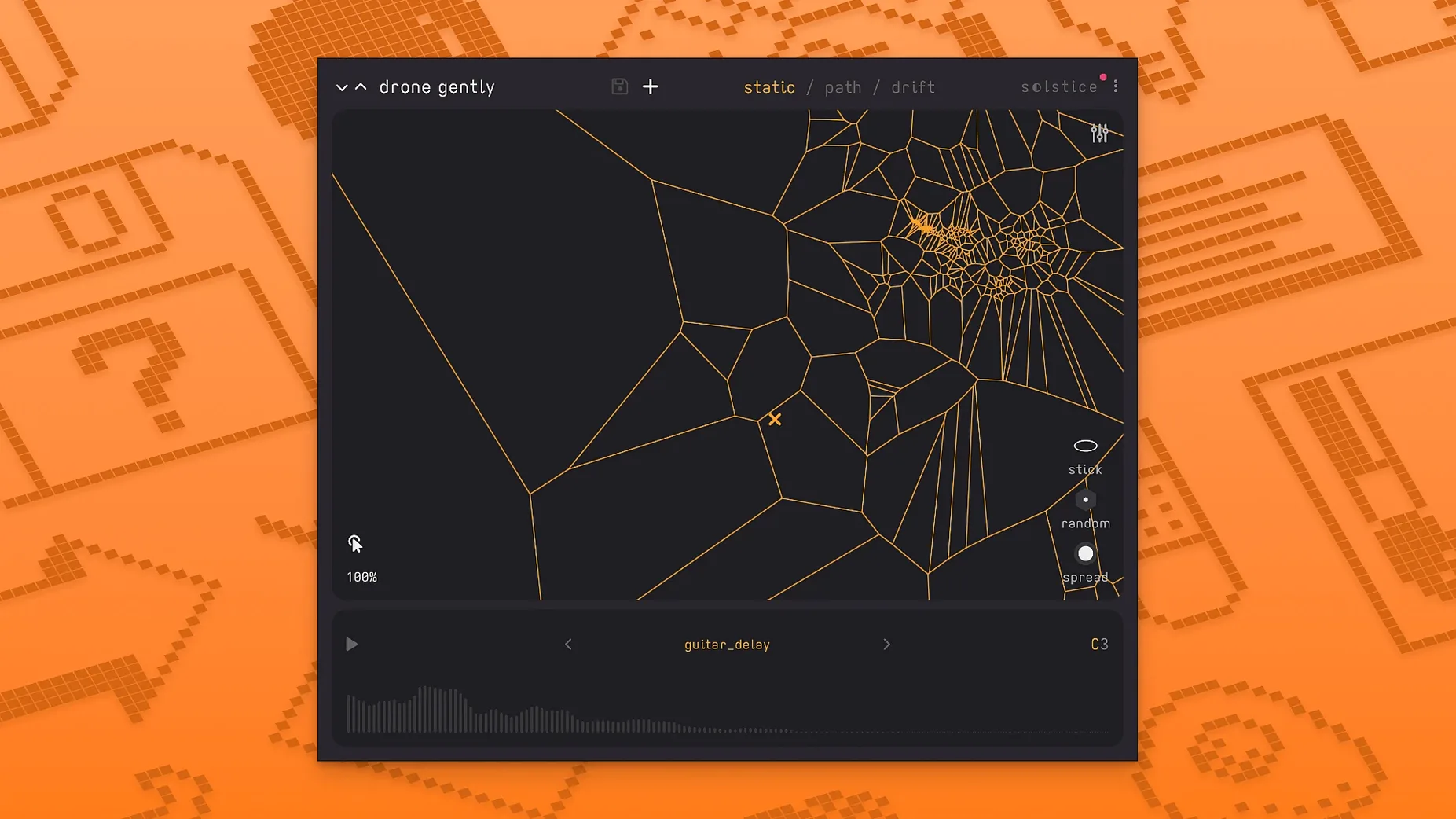
On a single track, Solstice does the heavy lifting of turning one sample into something far more playable. It analyses the audio, clusters similar timbres into dense regions, and lays everything out on a two-dimensional map. Drag the cursor and you morph smoothly between sound regions instead of jumping. That makes it a natural fit for ambient and experimental beds, though it handles other genres when you need a texture that does not sit still.
Buses and typical jobs
On a bus or return channel, it works well as a texture layer. Feed it a stem, a field recording, or a short loop and you get a playable map you can ride with an MPE controller. Version 1.2 adds Basic MPE support and auto root note detection, so melodic lines stay in tune while you explore. Five spectral effects — texture, tilt, flutter, stretch, and bloom — give you ways to push the map further without leaving the plugin.
MIDI mapping is worth setting up early. Assign a fader or rotary to the cursor position and you can sweep the map hands-free while both hands stay on keys or pads. The drift control is another quiet powerhouse — rather than drawing automation lanes for slow morphs, you let Solstice wander across the map at a rate you set. It is one of those features that sounds simple until you hear it in context, pulling a static texture into something that shifts like weather.
Right-click the map to lock a region. That small gesture stops the cursor from straying into timbres you do not want, which matters a lot when a patch walks the line between eerie and harsh. You can also save map snapshots without saving the whole plugin state. Handy when you have two or three sweet spots and want to flip between them without losing the original layout.
Where Solstice fits in your workflow
Drop an instance after a looper or a long reverb tail and you get a spectral readout that moves with the material, not against it. The plugin plays well with MTS-ESP, so microtonal scales carry across to the map without extra tuning work. That alone makes it a strong companion in setups that lean on soft synths with deep tuning support — think Pianoteq, Kontakt libraries, or anything MPE-ready.
For field recording work, Solstice pairs naturally with a clipboard app like Audio Hijack. Grab a few seconds of live audio, drop it into the plugin, and you have an instrument shaped by the room you are recording in. The auto root note detection makes sure it slots into an existing project key without guesswork.
Sound designers building custom libraries
Sound designers who build their own libraries tend to warm to it within a session. The map gives them a visual shorthand for a sample they already know, and the spectral effects — texture, tilt, flutter, stretch, bloom — let them reshape a source without leaving the one window. Ambient composers get a similar jump start because the drift and morph controls do what they would otherwise draw by hand across dozens of automation lanes.
Experimental musicians looking for a solstice plugin free of rigid sequencing patterns find a lot to explore. The map does not push you toward a grid or a timeline; it suggests movement without demanding it. Even someone hunting for a solstice vst free download to try before committing will notice how quickly a single sample becomes a set of playable variations. That same curiosity often leads producers deeper into the spectral toolbox once they hear what the plugin does to a simple piano note or a vocal fragment.
- Basic MPE support added.
- MTS-ESP support added.
- Five spectral effects: texture, tilt, flutter, stretch, and bloom.
- macOS 12 or later
- Apple Silicon or 64-bit Intel Mac







Chat 0
Hop in or make an account to join the chat.
Quiet in here so far. If you have used this build, tell me what the install actually did.