


Download Roland ZENOLOGY Pro for macOS
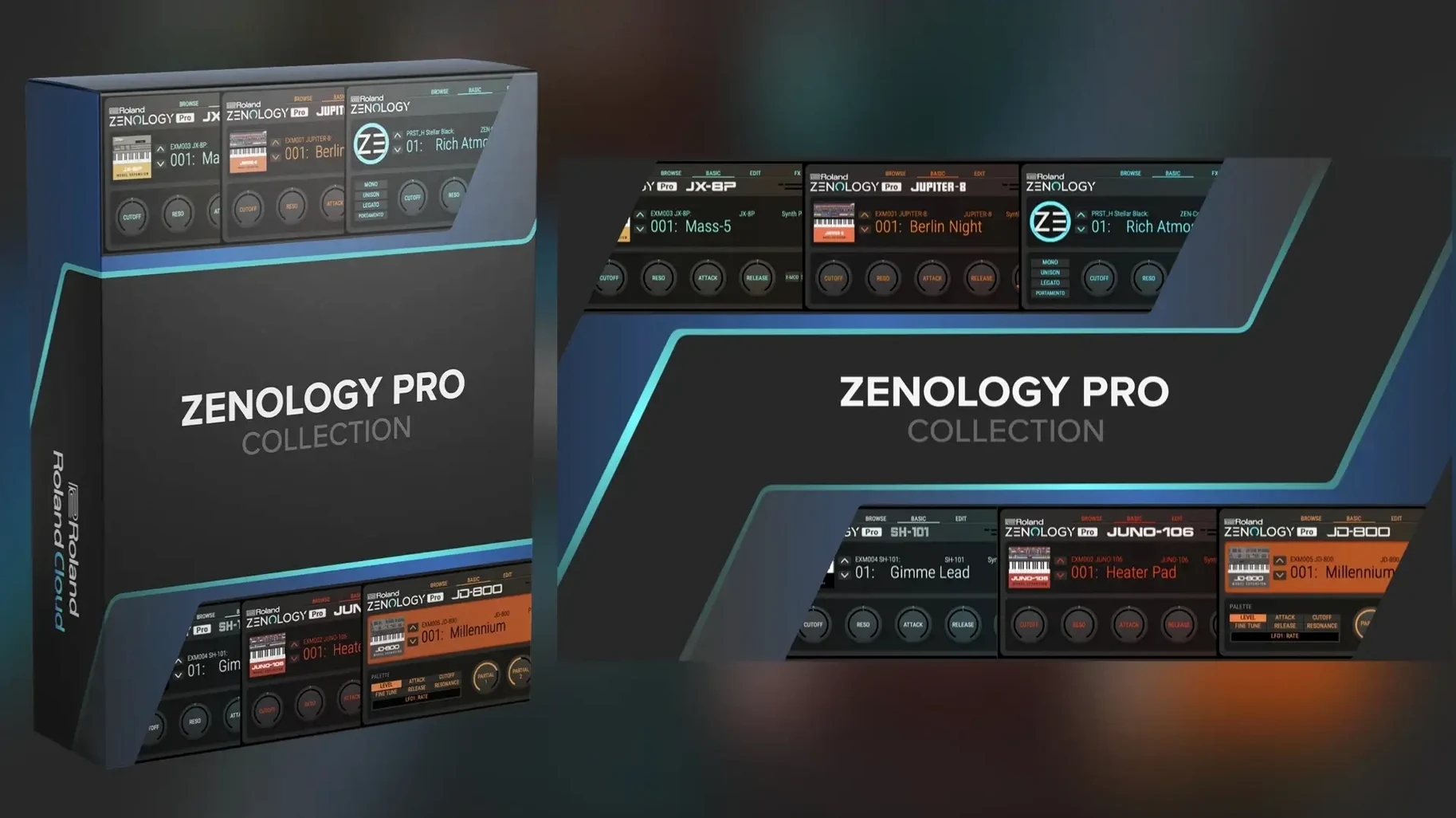
You drop an instance on a MIDI track and pull up a JUPITER-8 pad. It sits in the mix with that familiar glossy weight, so you reach for the resizable interface and start pulling it apart to make it yours.
- Pick an oscillator type. Switch between virtual analog, Supersaw, noise, PCM or PCM SYNC. A single part can shift from a vintage string machine to a glitched digital texture without touching another plugin.
- Shape the filter. The filter section gives you the bite or bloom you expect from Roland hardware. Sweep a low-pass slowly under a Supersaw stack and the top end softens without ever turning dull.
- Set up movement. Two LFOs per part let you assign independent wobble to the filter, amp and pitch. Slow triangle on the cutoff with a fast random wave on fine tuning creates a warped tape feel that stays musical.
- Stack effects. Pick from more than 90 Roland effects and slot them in series. A touch of vintage chorus into a plate reverb places a dry PCM pluck into a wide, three-dimensional space instantly.
- Combine parts. Layer four oscillators with separate EQ and amplifier settings. You build a patch where a clean sine sub anchors a noisy, filtered Supersaw lead — tight low end, controlled fizz on top.
Because it shares the ZEN-Core system with FANTOM and JUPITER-X hardware, sound packs and wave expansions extend the library past 10,000 variations. The engine handles everything from a single warm bass note to a multi-layered cinematic swell, and it translates edits between the plugin and stage keyboard without conversion quirks.
A film composer’s Friday evening
A composer lands a short film gig with a tight turnaround. The brief asks for a dark, textural drone that shifts into a glassy melodic hook. She loads ZENOLOGY Pro on an instrument track, calls up a PCM bell tone, and layers it with a slow-attack virtual analog pad. Within fifteen minutes she has four parts moving: a sub oscillator holding the root, a noise layer gated to a 16th-note pulse, the bell tone delayed by a dotted eighth, and the pad swelling underneath. She saves the multi-part patch straight to a custom bank, knowing she can pull it onto a FANTOM if the director wants tweaks during playback. No exporting stems, no rebuilding sounds from scratch.
Visual modulation playground versus the Zen-Core engine
ZENOLOGY Pro competes with a handful of deep soft synths that target hardware crossover users and preset-heavy workflows. Here is how three stack up.
Arturia Pigments. Pigments leans heavily into visual modulation routing and wavetable import. Its sound design playground feels more experimental out of the box. ZENOLOGY Pro counters with tighter hardware integration and a library already cut for stage-ready use. If you want a synth that mirrors a keyboard rig, ZENOLOGY Pro fits faster.
KORG Collection Triton. The Triton plugin recreates one specific workstation era with sampled waveforms and dual arpeggiators. ZENOLOGY Pro covers that PCM territory but stretches further — virtual analog, Supersaw, noise and PCM SYNC in a single patch. The Triton nails a late-90s palette; ZENOLOGY Pro spans decades without switching plugins.
UVI Falcon. Falcon gives you deep multisample mapping, scripting, and modular signal flow. It can go places ZENOLOGY Pro cannot, but its learning curve is steeper. ZENOLOGY Pro gets a producer to a layered, effects-drenched patch in fewer clicks, especially if they already know Roland’s panel layout from hardware.
Ignoring the four-part editor
New users often treat ZENOLOGY Pro like a preset player and never open the part editor. The four-part structure sits idle while they hunt for a single tone that does everything. Splitting a sound across two or three parts — a sub, a midrange texture, a top-end sparkle — gives you movement that no single patch can match.
Another common move is stacking too many effects inside the plugin instead of using DAW sends. A touch of chorus and reverb per part works beautifully; running five insert effects on every oscillator layer eats CPU and smears the transient detail. Use the built-in effects for colour and leave spatial duties to a shared reverb bus.
Ignoring the PCM SYNC oscillator type is a missed trick. People stick to virtual analog or straight PCM and overlook how PCM SYNC forces a waveform to reset with each key press. That tight, aggressive bite works wonders on bass sequences and arpeggiated leads that need to cut through a dense arrangement.
Four-layer patches spiking the CPU meter
High CPU with layered patches. Four parts, each running a complex oscillator and multiple effects, can spike the meter on older Intel machines. Switch parts to a lower voice count where polyphony is not critical, or freeze tracks once the sound design is locked. Dropping the Supersaw density by a notch rarely changes the character but eases the load noticeably.
Browser not showing new packs. After installing a wave expansion, the tone browser sometimes needs a manual refresh. Close and reopen the plugin window, then click the rescan option in the browser menu. Packs appear under their own category once the database catches up.
MIDI learn confusion. The plugin responds to MIDI CC assignments, but hardware knob mapping can clash with DAW automation. Assign physical controls through the DAW wrapper rather than inside ZENOLOGY Pro if you want smooth automation lanes. That keeps parameter changes recorded cleanly and avoids double-mapping jumps.
Patch transfer to hardware stalls. If a ZEN-Core keyboard does not see the edited patch, check that both devices sit on the same Roland Cloud account and that the hardware firmware is current. A mismatch between plugin version and keyboard OS can block the handshake, even when the library appears synced.
Good to know: the free zenology vst free download mac searches often lead to the lite edition, which lacks the deep editing panels and multi-part layering of the Pro version — those wanting full oscillator control and custom part mapping need the expanded Pro engine.
- macOS 11 or later
- Apple Silicon or Intel Mac
Questions I get
It is a plugin version of the ZEN-Core synthesis system found in Roland hardware like JUPITER-X and FANTOM, giving you a deep sound design tool in your DAW.
It includes more than 90 Roland effects, from vintage choruses and delays to modern reverbs and mastering processors.
Yes, it is compatible with Sound Packs and Wave Expansions, letting you expand to more than 10,000 total sound variations.







Chat 0
Hop in or make an account to join the chat.
Quiet in here so far. If you have used this build, tell me what the install actually did.