

Download Revoice Pro for macOS
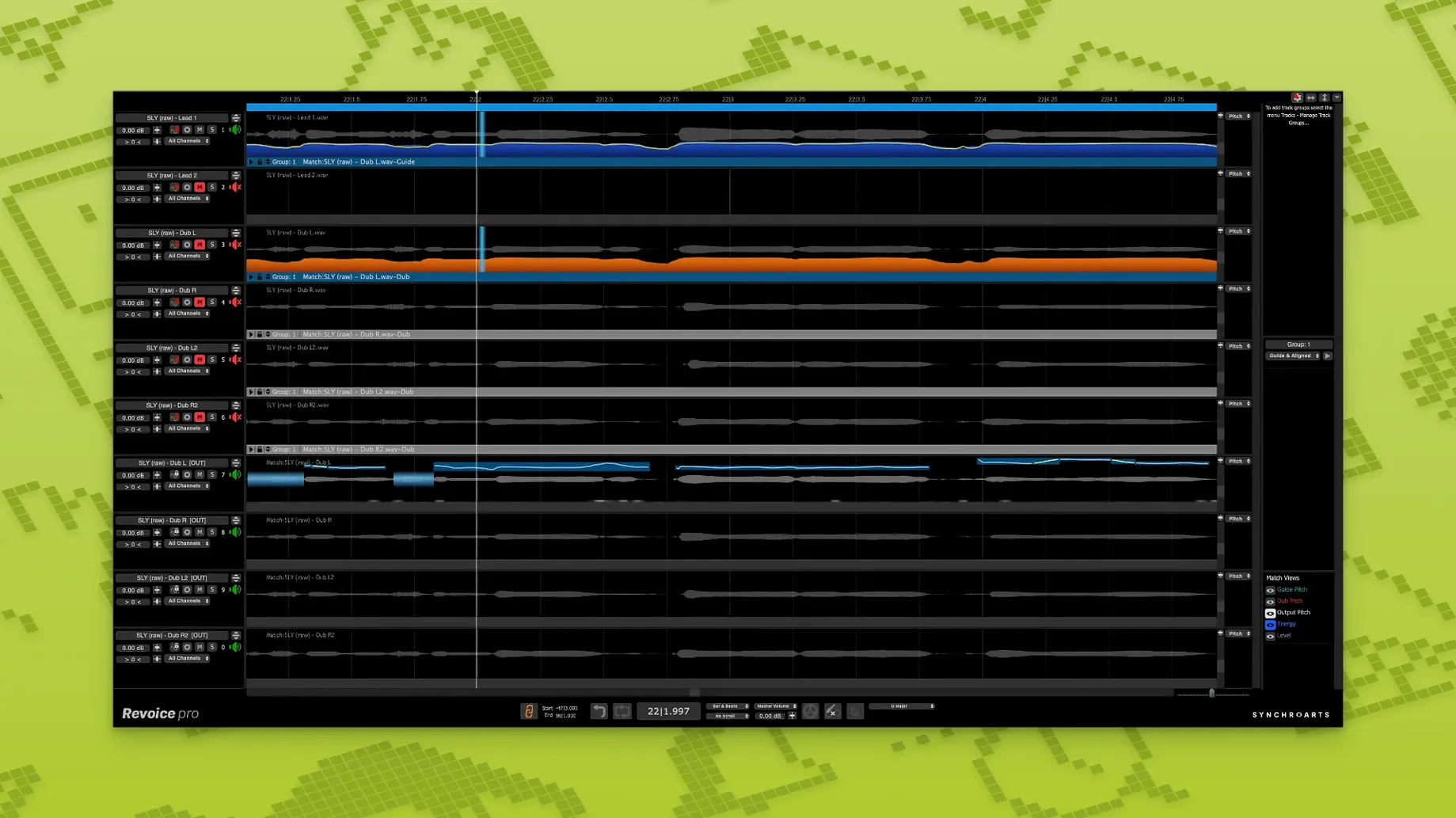
Version 5.1.30 adds a Shaper Tool for hands-on pitch nudging, plus SmartPitch and SmartAlign refinements for doubles that don't line up.
SmartAlign syncs two vocals instantly
Drop a lead vocal and a double onto two tracks. SmartAlign syncs their timing instantly, even if the takes start at different points.
How do you match the pitch of a double?
SmartPitch reads the lead and shapes the double's pitch to follow it. No manual note-by-note tweaks — just tighter layers.
Can you create a double from a single take?
Yes. The built-in doubler generates a layered-sounding second voice with adjustable time and pitch variation.
What if a phrase needs a quick pitch fix?
Aligning stacked backing vocals
Imagine a chorus with four harmony parts recorded across six takes. Some takes drift half a syllable behind the lead. Others start early and clip the breath from the previous phrase. Lining them up manually would eat half your afternoon.
Here's a workflow that clears the clutter. Load your lead vocal onto one track and drag all six backing takes into Revoice Pro as dub tracks. Select the lead as your guide, then run SmartAlign across the whole stack. The takes snap into sync — even the one where the singer came in late after a cough.
Once timing sits right, switch to SmartPitch. Pick the lead as the pitch reference and apply gentle correction to the harmonies. A setting around 60–70% keeps the performance human while tightening intervals that clashed against the guide. For the low baritone part that dips below the lead's range, leave SmartPitch off — it's cleaner to nudge those few notes by hand with the Shaper Tool.
Finally, pan each double wide, drop the faders a few dB under the lead, and hit play. The section breathes as one voice, not a pile of near-misses.
What the 5.1 series changed in daily work
The Shaper Tool arrived as a quiet upgrade that reshapes how quick fixes feel. Instead of opening a separate editor, you grab a note directly on the waveform and tug it into tune. Vibrato and natural drift stay put. It's the difference between correcting a flat "ooh" with three clicks versus a full dialogue box.
SmartAlign got sharper about mismatched start points. Older versions sometimes stretched the silence before a late entry, which meant trimming the gap afterwards. The current build reads the transient and pulls the whole phrase left without artefacts. Doubles that straddle a bar line now land where they should.
SmartPitch also handles wider intervals more gracefully. A harmony a fifth above used to wobble on sustained notes when the lead's pitch wandered; the algorithm now tracks the contour instead of chasing every cent. Fewer manual breakpoints, fewer automation lanes.
Compare SmartAlign to your manual edits
Start with a session you already mixed. Open a song where you nudged doubles by hand and run the same tracks through SmartAlign. Compare the waveforms. The sync will be cleaner than your manual edits on most phrases, especially transitions where you'd normally crossfade.
Set your default SmartPitch intensity to 70% and save it as a preset. You can always push it higher for tight pop stacks, but 70% keeps enough drift that a whisper double still sounds like a person, not a synth layer.
Map the Shaper Tool to a key command on day one. The default shortcut lives in the Edit menu, but dragging it to your toolbar and assigning something like Shift-S means you'll actually use it when a syllable flattens at the end of a phrase.
Test the doubler on a mono ad-lib before committing it to a lead. Drop the time variation to around 12 ms and the pitch variation to 5 cents. That setting thickens a single take without the chorusy swirl that higher values introduce. Good to know: the doubler eats more CPU in real-time than offline, so bounce the result early if your session already groans under a dozen plugin chains.
Grab the Shaper Tool and drag a flat syllable into tune. It's direct, visual, and keeps vibrato intact.
- Shaper Tool: drag-to-tune pitch adjustment on any selected region.
- SmartPitch: faster pitch matching for doubles and harmonies.
- SmartAlign: syncs takes with different start or end positions more reliably.
- macOS 10.14 or higher
- Intel or Apple Silicon (ARM and x86 64-bit)
- AU, VST3, or AAX 64-bit host
- Interface language: English







Chat 0
Hop in or make an account to join the chat.
Quiet in here so far. If you have used this build, tell me what the install actually did.