
 Exposure X7
 Elmedia Player Pro
 Fender Studio Pro
 Fig Player - play mp4 mkv mp3
 File List Export
 FileMaker Pro
 DynamicLake Pro


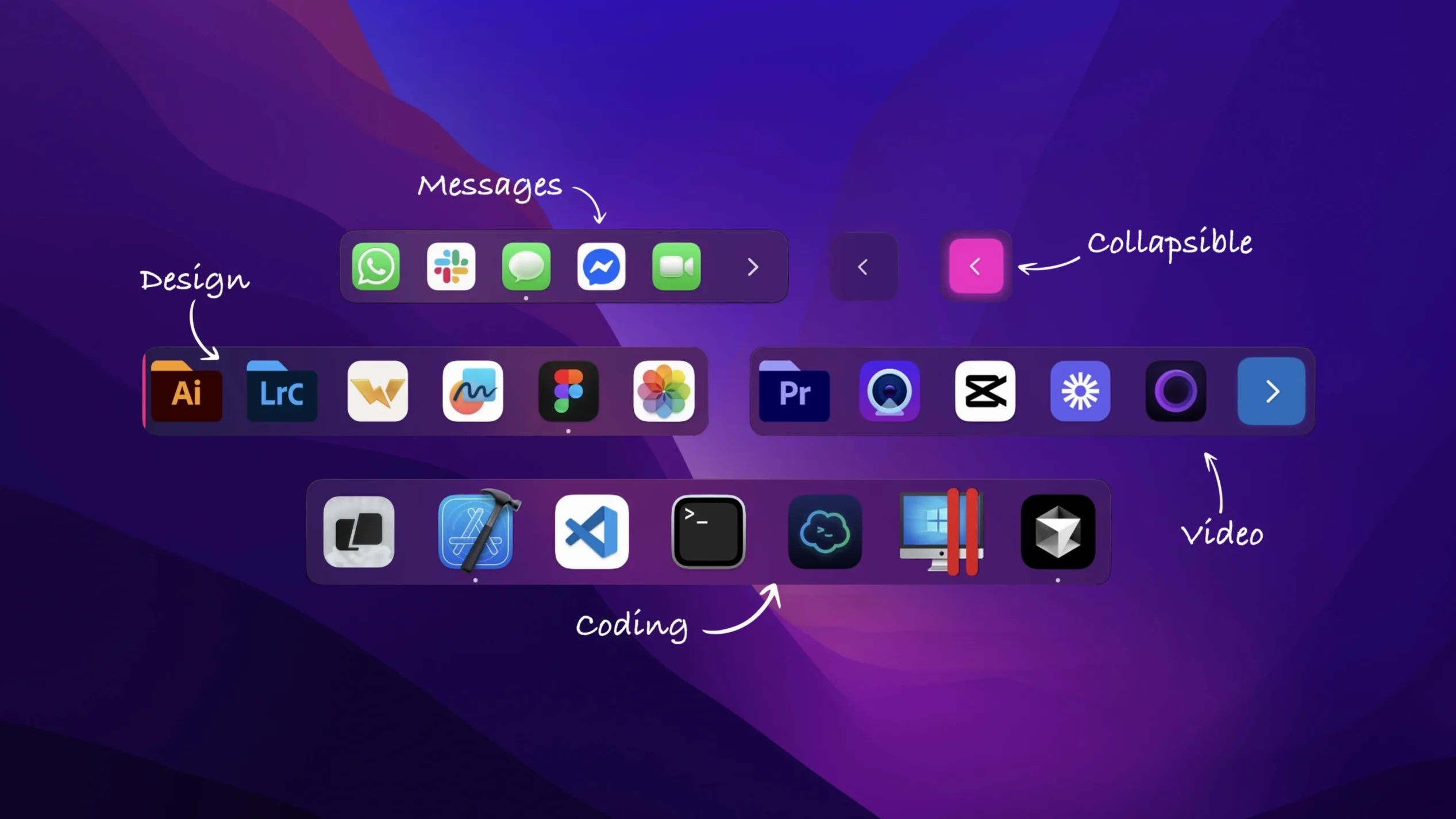
Stashing everything into one strip along the bottom of the screen works until it doesn't. When the macOS Dock gets crowded, finding the app you need slows to a squint-and-hover routine. extraDock splits that single row into as many smaller docks as you want, each holding its own set of items.
extraDock doesn't fight the built-in Dock — it complements it. The system Dock stays exactly where you left it, while extraDock layers on a few new strips you can scatter across screens. A common multi-monitor setup is leaving the default Dock on a single display and using extraDock to put a slim horizontal bar of communication apps at the top of the second screen, then a vertical utilities strip along the right edge of a third. Nothing overlaps.
Drag from Finder to populate a dock, and the same folders are still reachable through Spotlight or the real Dock. Spaces behave fine too — a dock set to auto-hide in fullscreen mode won't peek through when you're presenting or editing video. The tray menu keeps everything reachable without cluttering the menu bar, which pairs well with minimalist setups that already use Bartender or Hidden Bar.
On an M1 MacBook Air, extraDock sits around 90–120 MB of RAM with three docks active, each holding eight to ten items. CPU use stays flat when docks are idle — usually under 1%. The animation when expanding a collapsed dock on hover is instant rather than bouncy, which keeps the interaction feeling light.
Fullscreen detection in version 4.3.21 is snappy. Switch to a maximised window or a game, and the floating docks pull back without a visible delay. Returning to the desktop brings them back in the same beat. The recent fix for live Clock and Calendar icons means the app stays stable even when those dynamic icons refresh, which was a known quit trigger in earlier builds.
If you're hunting for an extradock download that won't weigh down an older Intel machine, the 64-bit build runs without fans spinning up — tested briefly on a 2018 Mac mini with a dozen apps in three docks, memory hovered around 140 MB and stayed there.














Chat 0
Hop in or make an account to join the chat.
Quiet in here so far. If you have used this build, tell me what the install actually did.