

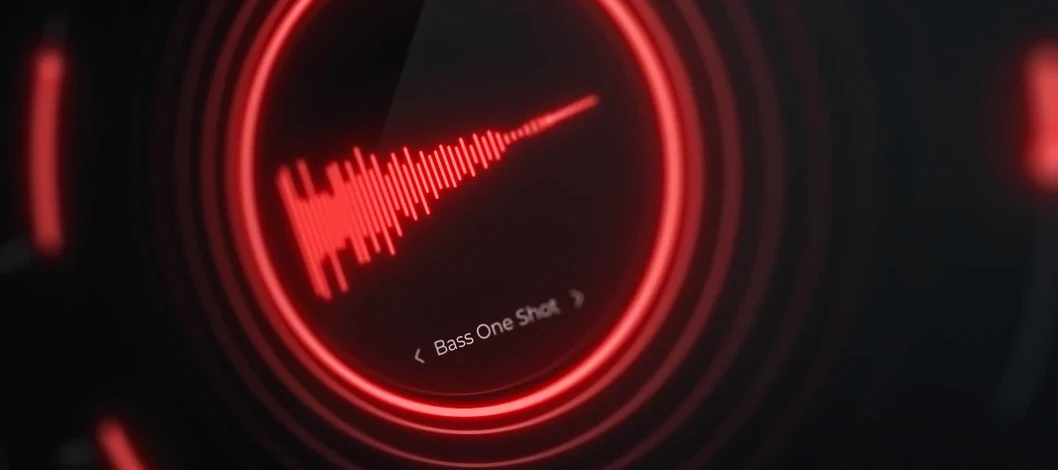
Download Cymatics QUAKE for macOS
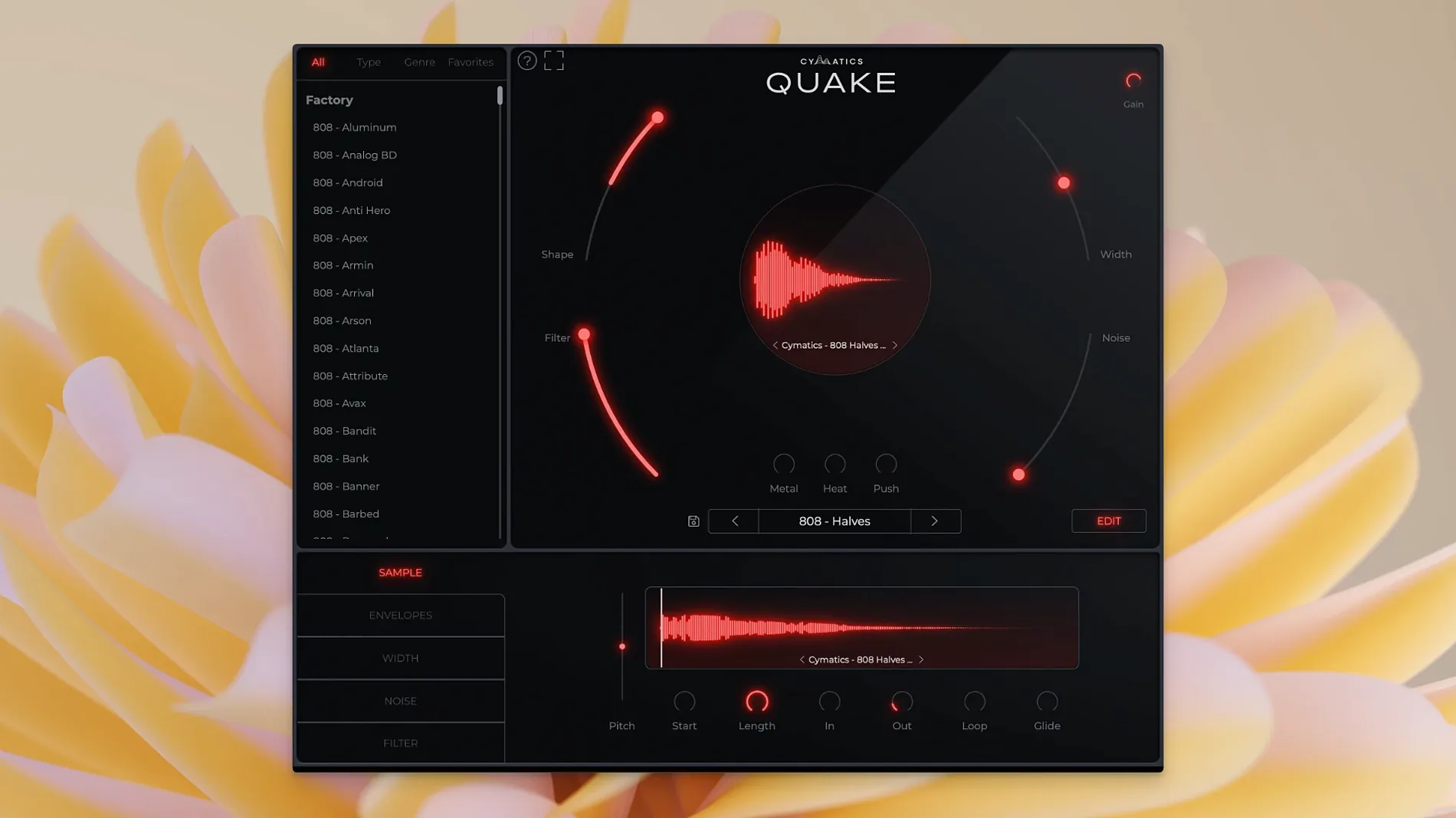
Beatmakers who reach for 808s and basslines will find QUAKE a fast, focused tool for sculpting low-end from scratch.
Format — AU and VST instrument plugin, not a sample pack.
Hosts — Works in any DAW that supports AU or VST instruments on macOS 10.14 and later.
Architecture — Runs natively on both Intel and Apple Silicon Macs.
Sound engine — A dedicated bass and 808 designer with seven shaping controls in one panel.
The interface keeps everything immediate. Width and Shape dial in the stereo spread and envelope contour. Filter carves the frequency range, while Noise layers in analog grit and texture. Metal, Heat, and Push add harmonic edge, saturation, and transient punch. The factory presets are fully customizable starting points you can tweak and resave.
Rather than juggling a sampler, EQ, and saturator across three tracks, you stay inside one window and move fast. QUAKE suits producers who want a dedicated bass engine that feels like hardware but lives inside the DAW.
Settings worth changing first
Open QUAKE, load a preset, and it already sounds full. But a few small tweaks make it sit in a mix faster.
Turn Width down on any 808 you want dead centre. The default stereo spread can push low-end energy sideways, and mono compatibility suffers. Drag it to zero, then slowly bring it back only if the track calls for width below 100 Hz — which it rarely does.
Next, check Filter. Many presets ship with the filter wide open. Rolling off above 200–300 Hz removes mud before it reaches your channel strip. You lose nothing musical and gain headroom.
Last, dial Noise back to about 15–20%. At higher settings the texture layer can blur transient clarity on fast basslines. A little goes a long way; you can always push it up again during a sparse section where the texture breathes.
Small conveniences and shortcuts that are easy to miss
QUAKE looks simple, but a few workflow details are tucked just out of sight.
- Double-click any knob to reset it. No modifier key, no right-click menu — just a quick double-tap returns Width, Shape, or Heat to its default value. Handy when you have pushed a control too far and want a clean reference point.
- Preset changes keep your output level. Many instruments reset volume when you switch patches. QUAKE remembers where you set the master, so auditioning sounds doesn't send you scrambling for the fader.
- Metal and Push stack differently. Metal adds a brittle, upper-harmonic edge; Push drives the midrange forward. Engaging both at moderate settings — around 30% each — creates a forward, aggressive tone without the harshness that comes from cranking either one solo.
- The Noise control isn't just hiss. It introduces subtle analog-modelled fluctuation, almost like a very quiet oscillator beating against the main tone. On sustained 808s, nudging it to 10% adds movement that stops long notes from feeling static.
Questions people usually ask before installing
Is QUAKE a sample pack or an actual plugin?
It's a full AU and VST instrument plugin. You play it like any virtual synth; notes trigger the bass engine in real time. No dragging WAV files onto a timeline. The factory library gives you finished starting points, but every preset is editable and you can save your own.
Does it work on Apple Silicon Macs?
Yes, natively. QUAKE runs on both Intel and Apple Silicon without Rosetta translation. On an M1 or M2 machine the plugin loads directly inside Logic Pro, Ableton Live, FL Studio, or any compatible host that supports AU or VST instruments on macOS 10.14 or later.
Can I use it for genres outside Trap and Drill?
The preset library spans 13+ styles — House, R&B, EDM, and more — so the engine isn't locked to one sound. The real flexibility comes from the controls. Back off Heat and Push, tighten the Filter, and you get clean, round bass for lo-fi or neo-soul. Crank Metal and Shape for aggressive mid-bass that cuts through a busy DnB mix.
Will it replace my usual bass processing chain?
QUAKE covers a lot of ground inside one window, but it's not a substitute for mixing. Think of it as the sound design stage. You will still reach for EQ, sidechain compression, and limiting on the channel strip. What QUAKE removes is the need to layer three plugins just to make an 808 knock.
How it compares with similar Mac bass plugins
QUAKE sits somewhere between a dedicated 808 synth and a full multi-effects rack. Here is how it lines up against a few tools producers often compare it to.
QUAKE vs. SubLab
SubLab is a deep 808 and sub-bass instrument with its own sampler engine, X-Sub harmonic generator, and a built-in compressor. It excels at precise, mix-ready low-end and gives you fine control over pitch mapping and glide. QUAKE trades some of that surgical depth for speed. You have seven knobs, not a rack of modules, and you shape tone by ear rather than by dialling in harmonic ratios. If you already own SubLab, QUAKE works as a faster scratchpad. If you don't, QUAKE gets you to a heavy, textured bass sooner.
QUAKE vs. Roland Cloud TR-808
The Roland TR-808 plugin is a faithful emulation of the hardware drum machine, with its classic bass drum circuit, tuning, decay, and snap controls. It does one thing authentically. QUAKE is not a clone of a vintage box — it is a modern bass designer with saturation, texture, and stereo controls that go far beyond what an 808 circuit can do. For straight-up classic 808 kicks, the Roland plugin wins on nostalgia. For basslines that need to evolve, distort, and fill a stereo field, QUAKE offers more range.
QUAKE vs. the cymatics quake approach inside a DAW template
Some producers try to replicate the cymatics quake workflow by stacking a sampler, a waveshaper, an EQ, and a stereo tool on a channel strip. It works — eventually. QUAKE just collapses that into one window. The difference is iteration time: tweaking five plugins across three tracks takes you out of the creative flow. With QUAKE, you turn a knob and hear the result immediately. For beatmakers searching for cymatics quake free download options or similar bass tools, the plugin format means you stop building DIY chains and start playing.
- macOS 10.14 or newer
- Intel or Apple Silicon Mac
- AU or VST-compatible host
Questions I get
It is a standalone instrument plugin for sound design, not a sample pack. You generate bass and 808 sounds from scratch using its built-in engine.
Yes, the presets are fully customizable. You can tweak any parameter and save your own versions.
Noise adds analog noise and texture to the sound, giving it more character and a slightly grittier edge.







Chat 0
Hop in or make an account to join the chat.
Quiet in here so far. If you have used this build, tell me what the install actually did.