

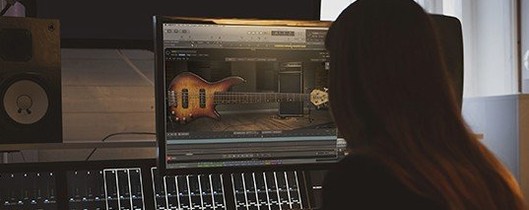
Download EZbass for macOS
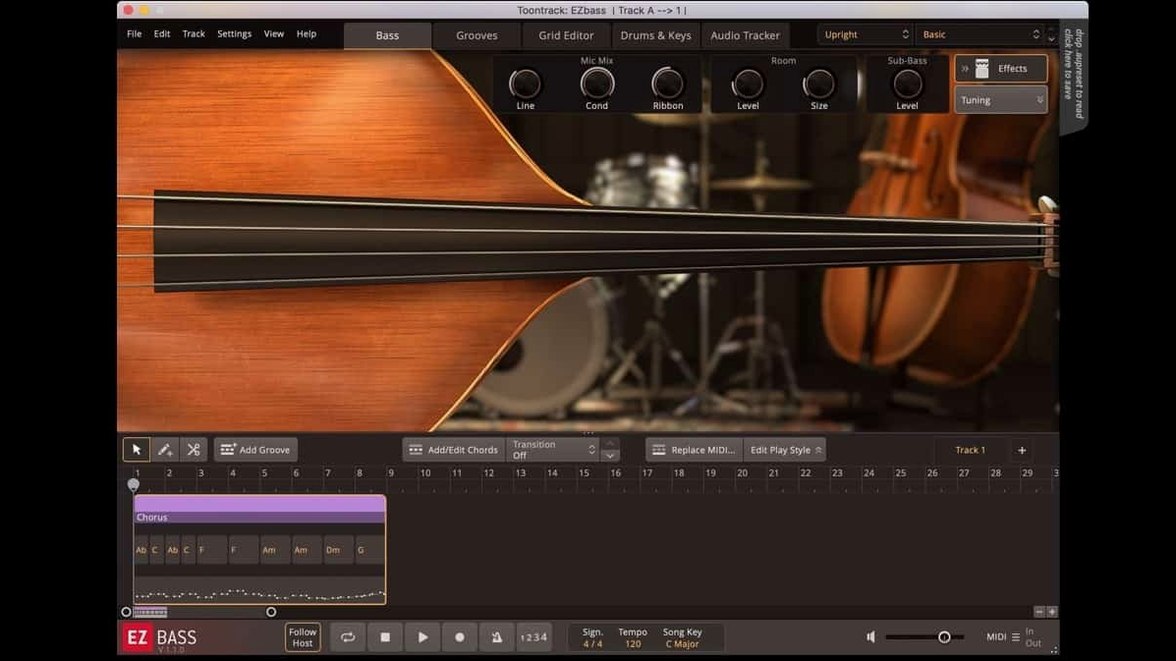
If you’ve used the audio-to-MIDI tracker inside Superior Drummer 3, you already know the tech that lives inside EZbass. It listens to a drum loop or a keyboard part and builds a bassline that sits where a player would. In a session, that means you drop it on an instrument track, feed it MIDI from another track, and start shaping the part.
- Track-to-track MIDI. Drag drum or keys MIDI onto its grid, and it writes a bass part that follows the groove and chord changes.
- Bass MIDI library. Comes with patterns for pop, rock, funk, soul and more — ready to audition against your rough mix.
- Sample engine. Two sampled basses, one picked and one fingerstyle, recorded through a signal chain you can tweak with the onboard mixer.
- EBX expansions. Swap in new bass tones and articulations like the right-hand mute added for Rock Legend EBX.
- Audio-to-MIDI. Hum or play a bassline into the track, and the tracker converts it to MIDI notes you can tidy on the grid.
- Export fix. Version 1.3.3 sorts timing drift when exporting audio at sample rates other than 44.1 kHz.
On a modern Mac it runs as a native ARM plug-in alongside x86-64 hosts, so you slot it into a session without a Rosetta hop. The latest build also tidies menu click-through on newer Apple hosts, which keeps things snappy when you’re flicking through presets mid-arrangement.
Dropping a MIDI clip without chord info
The most common slip is feeding EZbass a MIDI clip with no chord information. It leans on chord data to shape the note choices and root movement. Drop a bare drum pattern onto the grid without telling it which chords are in play, and the bassline it writes will wander. Add a simple chord track or use the built‑in chord lane before you hit generate.
Another early habit: leaving the low end untrimmed. The two sampled basses have weight below 80 Hz that can pile up against a kick drum. Beginners often trust the preset mixer levels and skip cleaning up the subs with the onboard EQ. A quick high‑pass filter around 40–50 Hz opens the mix without thinning the bass tone that matters.
People also treat the audio‑to‑MIDI tracker like a real‑time looper. It works best on a clean, monophonic phrase — hummed or played with a short instrument tail. Feeding it a full mix with drums and keys gives the tracker too many transients to parse. Mute everything but the guide bass or vocal you want to convert, and you’ll get a cleaner MIDI take.
Native Apple Silicon support, no Rosetta
Will it run natively on an M‑series Mac? Yes. Version 1.3.3 runs as a universal binary on Apple Silicon and Intel, so there’s no need for Rosetta.
Does the audio‑to‑MIDI converter need a special input? Not at all. It works from any audio track inside your DAW. Point it at a bass recording, a vocal line, or even a keyboard part, and it converts that audio to MIDI notes.
Can I use it without a DAW? Yes. There’s a standalone version that opens like a regular app. The 1.3.3 build includes updated Tahoe‑style icons on the standalone and project icon on Mac.
What if my session runs at 48 kHz or 96 kHz? The 1.3.3 update fixed timing drift issues during audio export at sample rates other than 44.1 kHz, so it stays sample‑accurate regardless of your project settings.
Unresponsive menu clicks in Logic
Menu clicks feel unresponsive in Logic or another Apple host. Update to 1.3.3. It includes a fix for menu click‑through issues in newer Apple hosts. If it still lags, try resizing the plug‑in window once — some hosts need a redraw after the update.
Exported bass audio is slightly out of sync. Check your project sample rate. Before 1.3.3, export timing could drift at rates like 48 kHz or 88.2 kHz. The current build solves that, so make sure you’re running 1.3.3, not an earlier installation.
Keyboard shortcuts keep resetting. Head into the Settings section. Version 1.3.3 added support for changing some shortcuts, so you can remap the ones you keep hitting by accident and lock in your own layout.
The bassline generator ignores a quiet kick drum. Raise the input MIDI velocity of the kick or snare hits feeding the grid. The engine responds to dynamic range, and a soft trigger may not push the pattern generator hard enough to lock onto the groove.
- Right-hand mute articulation now works with Rock Legend EBX.
- You can reassign a few keyboard shortcuts from Settings.
- Mac icons updated to the macOS Tahoe style.
- macOS 10.15 or later
- Apple Silicon and Intel Macs supported
Questions I get
Yes. Drop a drum or keyboard MIDI clip onto the grid and it generates a bass part that matches the groove and chord changes.







Chat 0
Hop in or make an account to join the chat.
Quiet in here so far. If you have used this build, tell me what the install actually did.